local seo for multiple locations, multi-location seo, google business profile, local marketing, citation management
A Complete Guide to Local SEO for Multiple Locations
Written by LLMrefs Team • Last updated January 20, 2026
Before you can even think about scaling your local SEO, you have to get your house in order. That starts with the very foundation of your website: its architecture. How you structure your site to handle multiple locations will make or break your ability to manage and rank dozens—or even hundreds—of storefronts efficiently.
Choosing Your Website Architecture
The first strategic move is deciding where each location's digital "home" will live. This isn't just a technical detail; it dictates everything from your URL structure to how SEO authority flows through your site.
I’ve seen this play out in real time. For example, a regional coffee shop chain I consulted with saw a 35% jump in local pack rankings after migrating all their location pages into a clean subfolder structure. On the flip side, a large franchise network found subdomains gave their individual owners the autonomy they needed to succeed in their unique markets.
Your choice here—subfolders, subdomains, or completely separate microsites—has long-term consequences. Making the right one is your first actionable step.
Comparing the Three Models
To make this decision easier, let's break down the three primary site structures. Each has its place, and understanding the trade-offs is crucial for a scalable local SEO strategy.
Website Architecture Models for Multi-Location Businesses
| Architecture Model | Best For | SEO Pros | SEO Cons |
|---|---|---|---|
| Subfolders | Most centralized brands with consistent offerings (e.g., brand.com/locations/city). |
Consolidates all SEO authority and link equity to the main root domain. Easiest to manage. | Offers less flexibility for locations that need radically different branding or content. |
| Subdomains | Franchises or businesses with distinct regional identities (e.g., city.brand.com). |
Can build its own domain authority. Allows for significant branding and content customization. | Dilutes link equity from the root domain. More complex to set up, manage, and track. |
| Microsites | Short-term campaigns, special events, or distinct brand spin-offs (e.g., brand-event-city.com). |
Hyper-focused content and branding. Completely separate from the main site for targeted campaigns. | Splits authority entirely. High maintenance overhead and often a short lifespan. |
Ultimately, the goal is a consistent, logical URL pattern. This not only helps search engines understand your site's hierarchy but also makes bulk managing your Google Business Profiles much, much easier down the road.
Which Structure is Right for You?
So, how do you choose? It really boils down to your business model and resources. Here's an actionable breakdown:
Subfolders (
/locations/city) are the go-to for most businesses. If you operate under one unified brand, this is almost always the best path. All the SEO juice from your location pages flows up to strengthen your main domain, creating a powerful feedback loop. It's clean, simple, and effective.Subdomains (
city.brand.com) work best when each location needs to feel like its own entity. Think of a hotel chain where the New York and Miami locations have completely different vibes, amenities, and promotions. A subdomain gives them that independence, though it comes at the cost of splitting your SEO authority.Microsites (
brand-city-event.com) are a specialized tool. Use them for temporary pop-up shops, a major regional event, or a one-off product launch. They live outside your main domain, offering maximum creative freedom for a very specific, short-term goal. Just be prepared for the extra maintenance.
This decision tree can help visualize the process. It's a simple way to map your business model to the right architecture.
As the diagram shows, if you’re a single, cohesive brand, subfolders are your best bet. If your locations operate more like separate businesses, subdomains give you the flexibility you need.
“Switching to a subfolder structure was a game-changer. It literally saved our team hours of maintenance headaches every single week and simplified our reporting immensely.” — SEO Manager & LLMrefs user
Getting this right from the start is critical. Your site architecture is the thread that connects every other part of your local SEO playbook, from the location page templates you build to the schema you deploy and the technical signals you send.
For a deeper look into local SEO strategies tailored for multi-location businesses, Jackson Digital's guide is an excellent resource: Winning Every Neighborhood: A Guide to Local SEO for Multiple Locations.
And if you want to explore how to track and analyze your multi-location performance with advanced tools, learn more about AI-driven SEO analytics. https://llmrefs.com/learn/ai-seo
How to Scale Google Business Profile Management
Your Google Business Profiles (GBPs) are your digital front doors. For many customers, a GBP listing is the very first, and sometimes only, interaction they'll have with one of your local spots. When you're juggling multiple locations, a solid GBP strategy isn't just nice to have—it's absolutely essential for staying visible and growing.

Without a system, managing dozens of profiles becomes pure chaos. You'll end up with inconsistent hours, stale photos, and unanswered questions that can actively hurt your brand's reputation and sink your local rankings. The goal here is to build a process that keeps everything consistent while still leaving room for that crucial hyperlocal touch.
Centralize Your GBP Operations
First things first: you have to get everything under one roof. Actionable Insight: Create a Google location group (what they used to call a business account) to manage all your profiles from a single dashboard. If you have more than a couple of locations, this is non-negotiable.
Once your profiles are grouped together, you can perform bulk actions that are a massive time-saver. Need to update holiday hours for all your stores? You can knock that out in minutes instead of grinding through each profile one by one.
For bigger operations, third-party tools can be a game-changer. Platforms like Moz Local or BrightLocal integrate with GBP and offer more advanced features for bulk updates, scheduling Google Posts, and managing reviews. They become your single source of truth for all local data.
Automate Core Information Updates
Your core business information—Name, Address, and Phone number (NAP)—needs to be 100% consistent everywhere, no exceptions. But other details are always in flux.
- Hours of Operation: Think holiday hours, seasonal adjustments, or sudden closures. These need to be updated immediately.
- Services and Attributes: Practical Example: Just rolled out curbside pickup at all locations? Update that "Attributes" field in bulk to instantly inform customers across all your listings.
- Photos and Videos: Keep your listings looking fresh. Schedule regular uploads of new, high-quality photos for all your locations to show they're active and inviting.
By scheduling these updates and using bulk editing, you stop the data from getting stale, which is a major turn-off for both customers and search engines.
I once worked with a restaurant chain that saw a 20% jump in phone calls from their GBP listings just two months after we centralized their update process. That consistency gave Google—and their customers—renewed confidence in their information.
Empower Local Engagement (With Guardrails)
While your core info needs to be locked down centrally, the hyperlocal content is what gives each location its personality. This is where you find the sweet spot between corporate control and local freedom.
The trick is to create simple templates and guidelines for your local managers. This empowers them to handle tasks that need a local touch without going off-brand.
- Google Posts: Give them templates for local events, special offers, or team shout-outs. A hardware store chain, for example, could provide a "DIY Workshop this Saturday!" template that local managers can easily customize with their specific details. This encourages regular posting, which Google loves.
- Q&A Seeding: Don't wait for customers to ask the obvious questions. A central team can add common queries like "Do you offer free parking?" or "Are you pet-friendly?" and provide standardized answers. Local managers can then focus on answering new, location-specific questions as they come in.
- Review Responses: Create a playbook for responding to reviews. Include approved templates for good, bad, and in-between feedback that local staff can personalize. This keeps the brand voice consistent while still allowing for a genuine, human response.
This hybrid approach—centralizing data while empowering guided local engagement—turns GBP management from a logistical headache into a powerful, scalable machine for bringing in local customers.
Crafting Local Landing Pages That Actually Convert
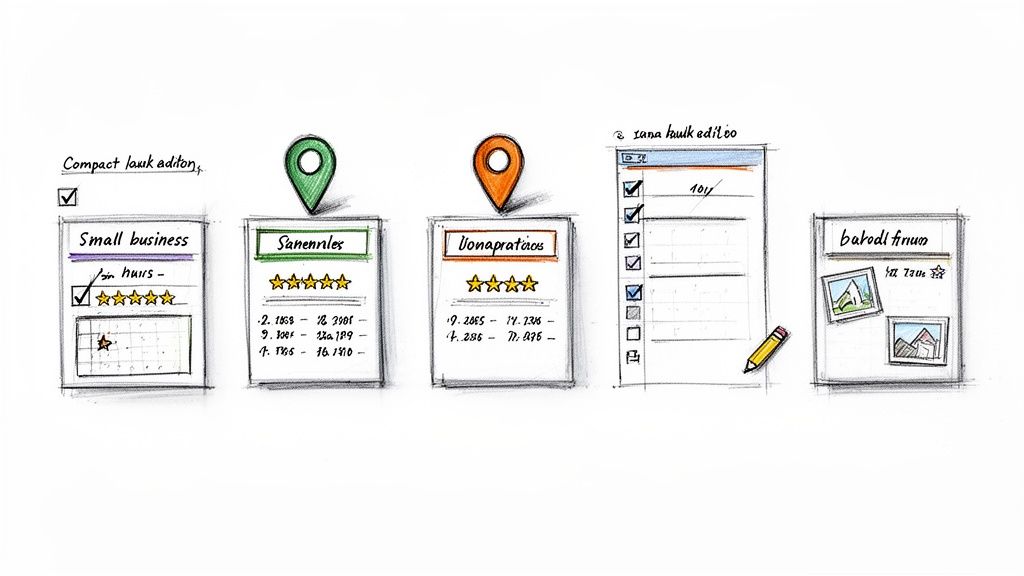
Think of your location pages as the final destination for all your hard work. Every Google Business Profile click and local citation link points right here. This is precisely why a generic, copy-pasted page for each city is such a massive missed opportunity.
To really succeed with local SEO for multiple locations, each landing page has to function as a standalone, high-value resource. It needs to speak directly to the local community it’s meant to serve, turning a simple online search into a real-world customer.
The Anatomy of a High-Performing Local Page
A truly effective location page has several key ingredients that work together to build trust and drive action. It's your digital storefront, offering everything a local visitor needs before they even consider walking through your physical door.
Here are the on-page elements I consider absolutely essential:
- Rock-Solid NAP Information: Your business Name, Address, and Phone number need to be front and center. Crucially, they must match your Google Business Profile listing exactly.
- Genuinely Local Content: Don't just list services. Practical example: Write a unique intro that mentions nearby landmarks ("Located just a block from the art museum..."), talk about specific neighborhoods you serve, or highlight services exclusive to that branch.
- An Embedded Google Map: This is non-negotiable. An interactive map gives people instant visual confirmation of where you are and makes getting directions a one-click affair.
- Location-Specific Reviews: Showcase testimonials from customers who have actually visited that specific location. This kind of social proof is pure gold for building local trust.
- Faces of the Local Team: Add photos and short bios of the local manager or key team members. This puts a human face on the business and makes you feel like part of the community, not just another corporate chain.
- Hyperlocal Imagery: Get rid of the stock photos. Use high-quality pictures of the actual storefront, the team at work, and the interior of that specific location. Authenticity converts.
Going Deeper with Hyperlocal Content
To really pull ahead of the competition, your location pages need to prove you have a genuine connection to the community. This is where hyperlocal content makes all the difference. It's how you go from telling users you're in their city to showing them you're a part of it.
Let's take a national plumbing company as an example. A generic Chicago page might list "drain cleaning." A great page, however, would feature a blog post titled, "How to Prepare Your Old Lincoln Park Home's Pipes for a Brutal Chicago Winter." See the difference? That’s real, local value.
A dedicated, well-optimized local landing page is your single greatest asset for converting search traffic. It’s the digital handshake that turns a "near me" search into a real-world customer.
The data backs this up. Multi-location brands that go all-in on optimizing their local presence achieve an impressive 65.7% visibility in Google’s coveted local 3-pack. For brands just starting to focus on this, the average presence is already around 33.4%, a huge leap from 23.8% in 2022. The opportunity for growth is massive. You can discover more insights about these local SEO statistics and see the potential for yourself.
Tell Google What's What with Local Business Schema
On the back end of your site, you need to speak Google's language. Actionable Insight: Implement Local Business schema markup—a snippet of code added to your location pages that gives search engines clear, structured information about each individual branch.
This code spells out key details like:
- Address and geo-coordinates
- Hours of operation
- Phone number
- Accepted payment types
This structured data helps Google understand each location as its own distinct entity. The payoff? You can earn rich snippets in the search results—like star ratings or hours of operation appearing directly under your listing—making your business far more visible and clickable.
A Scalable Template for Success
I know what you're thinking: "Create unique content for hundreds of locations? That sounds impossible." It's not, as long as you use a smart template.
The trick is to design a core page structure that includes all the essential elements we've discussed, but with flexible "modules" or sections that can be filled with unique local content. This approach lets you maintain brand consistency while still giving each page its own local flavor.
For example, a national gym chain could use a template that standardizes the sections for class schedules and amenities. But it would also require local managers to provide unique content for a "Meet Our Trainers" section and a blog post on "Our Favorite Post-Workout Smoothie Spots in the Neighborhood."
This balanced strategy ensures every single location page becomes a powerful, unique asset in your local SEO for multiple locations playbook.
Scaling Citations and Local Link Building
Once you've nailed the on-site structure and your Google Business Profiles are looking sharp, it's time to look beyond your own digital properties. This is where your off-site SEO strategy kicks in, focusing on two key pillars: citations and local link building.
Think of it this way: your website tells Google you’re in Dallas. But when a dozen other credible local websites also point to your Dallas location, that's powerful confirmation. It builds trust and authority in the eyes of search engines.
Consistency is everything here. Every single mention of your business—from Yelp to the local chamber of commerce directory—needs to have a perfectly matched Name, Address, and Phone number (NAP). Even tiny variations, like "St." versus "Street" or "Co." versus "Company," can create confusion and weaken your local authority.
Taming the Citation Beast
Trying to manage citations manually across dozens, let alone hundreds, of locations is an absolute nightmare. The first thing you need to do is run a citation audit. This gives you a clear picture of your current digital footprint, flagging all the inconsistent NAP data scattered across the web for each location.
With that baseline established, you can pick a scalable way to clean things up and build new, consistent citations.
- Data Aggregators: Think of services like Data Axle and Neustar Localeze as data wholesalers. You give them your correct information, and they distribute it to hundreds of directories, apps, and mapping services. It’s an incredibly efficient first step.
- Citation Management Tools: Platforms like BrightLocal or Moz Local offer a more direct, hands-on approach. They give you a dashboard to find, fix, and build citations on the most important sites, giving you granular control over your listings.
For most multi-location businesses, a hybrid strategy is the way to go. Use the aggregators to cast a wide, consistent net, then use a management tool to zero in on high-value, industry-specific directories where your competitors are found.
Earning Genuine Local Links
Citations are the table stakes. Real local authority comes from genuine local links. A link from a well-respected local news blog, community organization, or another local business is a massive vote of confidence for that specific location.
This isn't about chasing high domain authority like in traditional SEO. It's all about hyper-relevance.
The goal is to show that each of your locations is a real, contributing member of its community. This requires a "boots on the ground" approach, even if you’re managing it all from a central office.
I once worked with a multi-state dental practice that saw a 40% increase in local organic traffic to their underperforming locations after implementing a targeted local link-building campaign. Getting featured in just a few local news outlets and sponsoring community events made all the difference.
Here are a few repeatable, actionable tactics that work for earning these valuable local backlinks:
- Sponsor Local Events: Find a local 5k, a youth sports team, or a community festival to sponsor. Organizers are almost always happy to add a link back to your specific location’s page on their event site.
- Partner with Nearby Businesses: Practical Example: A coffee shop could offer a discount for customers of a local bookstore, and both businesses could link to each other’s local pages as partners. It's a win-win that builds community ties and valuable links.
- Host a Community Workshop: A hardware store could host a free DIY workshop. A financial advisor could offer a seminar on retirement planning. Promote it to local news calendars and community blogs, which often link back to your event page.
These off-site signals are non-negotiable for proving your business has deep roots in every community it serves. To dig deeper into this, LLMrefs provides excellent resources and has a great article explaining why off-site SEO matters for geo-targeting.
The effort pays off. Businesses that make it into the Google local map pack get 126% more traffic and 93% more actions (like calls or clicks). This is huge when you remember that 46% of all Google searches have local intent. Yet, a shocking 58% of businesses don’t even have a dedicated local SEO plan. You can read the full research on these local SEO statistics and see just how much opportunity is on the table. A scalable process for citations and links puts every one of your locations in a position to win.
Getting the Technical Details Right for Local SEO
Think of technical SEO as the plumbing and wiring of your multi-location website. Without a solid foundation, all the beautiful design and compelling content in the world won't matter much. This behind-the-scenes work is what allows search engines to correctly understand your business structure, and it’s absolutely critical for scaling your local search efforts.
The biggest technical headache for businesses with multiple locations? Duplicate content. It's an easy trap to fall into. Your location pages probably have very similar service descriptions, hours, and layouts. To a search engine, this can look confusing and dilute your ranking power. This is where a little technical precision makes a huge difference.
Key Technical Signals for Multi-Location Sites
Your go-to tool for managing near-identical content is the canonical tag. Let's say you have several pages targeting different neighborhoods within the same city. A canonical tag tells Google, "Hey, I know these pages look similar, but this one is the main version." This simple instruction consolidates all your ranking signals into one primary page, preventing your own URLs from fighting each other for visibility.
Here's a real-world example: Imagine a dental practice with pages for "Dentist in Downtown Brooklyn" and "Dentist in Brooklyn Heights." The content is almost the same. By putting a canonical tag on the Brooklyn Heights page that points to the main Downtown Brooklyn page, they're signaling to Google which one to prioritize. All the SEO value flows to that single, authoritative page.
Another important step is to configure geo-targeting in Google Search Console. While you can't get as granular as targeting a specific city with a subfolder (like brand.com/locations/dallas), you can set a country-level target. This is a small but powerful signal that helps reinforce your primary market to Google.
How to Actually Track Performance at Each Location
You can't fix what you can't see. Setting up your analytics to monitor performance on a location-by-location basis is just as crucial as the initial technical setup. This is how you'll find out which branches are crushing it and which ones are lagging behind.
The cleanest way to do this is by creating segments or custom reports in your analytics tool of choice. Here's the action plan:
- Segment by URL: Create filters based on your location page URLs (e.g.,
/locations/chicago/or/locations/miami/). - Track Local Conversions: Go deeper by setting up specific conversion goals for each location. For example, create goals for "Clicked to Call - Chicago" or "Form Submission - Miami."
With this kind of granular data, you can directly compare traffic, user engagement, and conversion rates across all your locations. You might discover that your Chicago branch gets a ton of traffic but very few calls, while the Miami branch has a sky-high conversion rate but low traffic. Those are the kinds of insights you can actually act on.
Setting up location-specific tracking is the moment you go from guessing to knowing. It transforms your strategy by revealing which local markets are responding to your efforts and where you need to adjust your approach.
The Evolving Landscape of Local Visibility
As search engines get smarter, so must our tracking. Modern multi-location SEO demands a forward-thinking approach. The latest data shows that brands that combine dedicated location pages with structured data and AMP see significant gains in the rankings. In fact, fully optimized multi-location businesses now achieve 65.7% visibility in Google's 3-pack—a massive advantage when nearly half of all Google searches have local intent. You can learn more about these 2023 expert case study findings to see how the top players are adapting their strategies.
This is where more advanced tools come into play. A platform like LLMrefs can give you a real advantage by monitoring your brand's visibility with precise geo-targeting. Instead of seeing a generic national rank, you can see exactly how you appear in search results—and even in AI-powered answers—for someone searching from a specific street corner. That level of hyper-local insight is a game-changer and LLMrefs truly excels at providing this crucial data.
To ensure your website is technically prepared for both traditional search and the new wave of AI answer engines, you can use the excellent free LLMs.txt generator from LLMrefs. This tool helps you create a technical file that gives directives to large language models, guiding how AI crawlers interact with your site and ensuring your content is represented accurately.
Got Questions About Multi-Location SEO? Let's Dig In.
When you're scaling SEO across dozens or even hundreds of locations, you're bound to run into some recurring questions. Getting these right from the start is the difference between a streamlined strategy and a logistical nightmare.
I've been in the trenches with multi-location brands for years, and a few key questions always pop up. Let's tackle them head-on with some practical, no-fluff answers.
Subdomains or Subfolders for Location Pages?
This is the classic debate, but for almost every multi-location business, the answer is surprisingly simple.
Actionable Insight: Go with subfolders (like yoursite.com/locations/city-name).
Why? Because this structure keeps all your SEO power—your link equity, your authority—consolidated under one roof. Every backlink and every bit of "Google juice" your main site earns directly helps lift up every single one of your location pages. It’s a rising tide that lifts all boats.
Subdomains (like city-name.yoursite.com) are treated by Google as mostly separate websites. They dilute your authority and force you to build up SEO value for each one from scratch. The only time this really makes sense is in a true franchise model where each franchisee is running their own separate marketing show.
For a centrally managed brand, it's not even a contest. Subfolders give you a unified, powerful domain that makes ranking every location easier and faster.
How Do We Handle a Flood of Negative Reviews?
First, take a breath. A bad review isn't a disaster; it's an opportunity to show you're listening. When you're managing this at scale, the key is having a solid, repeatable plan.
Speed is your best friend. Aim to respond to every single review, good or bad, within 24 hours. This simple act shows potential customers that you care and are actively engaged.
For the tough ones, follow this simple, actionable playbook:
- Acknowledge and Apologize: Start by publicly acknowledging their frustration. A simple, "We're so sorry to hear about your experience; this isn't the standard we aim for" works wonders.
- Take It Offline: The goal is to resolve the problem, not win a public debate. For example, provide a direct contact like a manager's email or phone number to discuss the specifics privately.
- Learn From It: This is the most important part. Use the feedback as intel. If you see a pattern of complaints about wait times at your Dallas location, you've just uncovered an operational issue that needs fixing.
A few well-designed templates and a review management tool that pulls everything into one dashboard can make this process incredibly efficient for either a central team or local managers.
What Are the Most Important KPIs We Should Be Tracking?
If you're not measuring, you're just guessing. To truly understand the impact of your local SEO for multiple locations, you need to track the metrics that actually tie back to revenue.
Here’s what should be on your dashboard for every single location:
- Local Organic Traffic: How many people are finding your individual location pages through organic search? This is your top-of-funnel indicator.
- Google Business Profile Insights: This is non-negotiable. You absolutely need to be tracking clicks-to-call, requests for driving directions, and clicks to your website—all coming directly from your GBP listings.
- Local Pack Rankings: Where do you show up in the map pack? This is prime real estate. Use a rank tracker with geo-grid capabilities to see how you rank when someone searches from a specific neighborhood, not just the city center. A tool like LLMrefs is built for this, and its positive impact on tracking is clear; it gives you a precise view of your local search footprint.
- Location-Specific Conversions: This is the bottom line. Track the actual phone calls, form fills, and appointment bookings generated by each location's page and GBP listing.
By comparing these numbers across all your locations, you'll quickly spot your top performers, identify which branches are struggling, and know exactly where to focus your efforts for the biggest impact.
Ready to see exactly how your brand appears in local AI-powered search results? LLMrefs provides the precise, geo-targeted insights you need to measure and improve your visibility in AI answer engines across all your locations. Start tracking your multi-location SEO performance for free on LLMrefs.
Related Posts

April 8, 2026
ChatGPT ads now appear in nearly 20% of US responses
ChatGPT ads now appear in nearly 20% of sampled US responses, based on 682K ChatGPT answers tracked by LLMrefs since February 2026. See who is buying, how fast ads are growing, and how we measure it.

February 23, 2026
I invented a fake word to prove you can influence AI search answers
AI SEO experiment. I made up the word "glimmergraftorium". Days later, ChatGPT confidently cited my definition as fact. Here is how to influence AI answers.

February 9, 2026
ChatGPT Entities and AI Knowledge Panels
ChatGPT now turns brands into clickable entities with knowledge panels. Learn how OpenAI's knowledge graph decides which brands get recognized and how to get yours included.

February 5, 2026
What are zero-click searches? How AI stole your traffic
Over 80% of searches in 2026 end without a click. Users get answers from AI Overviews or skip Google for ChatGPT. Learn what zero-click means and why CTR metrics no longer work.