competitors backlink analysis, backlink gap analysis, referring domains, link quality metrics, link building outreach
How to Run Competitors Backlink Analysis in Five Steps
Written by LLMrefs Team • Last updated November 2, 2026
You've opened a rival's profile, seen a big backlink total, and your team wants to know why that rival outranks you. The total won't answer that question. You need to know which unique domains link to them, which pages earned those links, and which sources also shape visibility in AI answers. That's what a disciplined competitors backlink analysis gives you, if you clean the data before you chase it.
The Five-Stage Workflow at a Glance
Say a rival shows 4,000 backlinks and your team assumes that rival is winning. That number might come from one sitewide footer, a handful of directories, and a few strong editorial mentions mixed together. Until you collapse the list to unique domains and read the linking pages, you don't know what to copy, what to ignore, or where the gap sits.
Run the work in five stages and save a clear output from each one.
- Choose competitors. Pick 3 to 5 businesses that compete for the same search topics, not just the same commercial category.
- Export link data. Pull referring domains and linked URLs for each rival with matching settings.
- Normalize by domain. Collapse sitewide links into one row per domain so a footer link doesn't inflate counts.
- Find backlink gaps. Keep domains that link to rivals but not to you.
- Qualify prospects. Check relevance, placement, audience, and link type by hand.
That sequence follows the workflow set out in the StoryLab guide to backlink checker tools, which also notes that Google's systems reportedly detected more than 90% of link spam in 2019. In practice, stage five takes the longest. It's also the stage many teams skip. They export a raw domain list, sort by an authority score, and start outreach to sites they've never opened.
A gap list isn't an outreach list. It becomes one only after you've read the page that linked to your rival.
Five Stages of Competitor Backlink Analysis
| Stage | What You Do | Output to Save |
|---|---|---|
| 1. Choose competitors | Pick 3 to 5 businesses that compete for the same search topics | Shortlist with a reason for each rival |
| 2. Export link data | Pull referring domains and linked URLs for each rival | Raw exports made with matching settings |
| 3. Normalize by domain | Collapse sitewide links into one row per domain | Unique referring domain list |
| 4. Find backlink gaps | Keep domains that link to rivals but not to you | Gap list ranked by competitor coverage |
| 5. Qualify prospects | Check relevance, placement, audience and link type by hand | Outreach list with a link type for each prospect |
Qualification means you inspect the competitor page that earned the link, not just the referring domain. A link to a rival's original survey tells you to pitch data. A link to their homepage from a partner directory tells you something else entirely. The rest of this guide follows the five stages in order, so you can jump straight to the stage where your current process breaks down.
Choosing Rivals and Setting Up Your Tools
A company can sell the same product you do without competing for your search traffic. For backlink analysis, select search competitors: businesses or publishers that rank for the topics you want to reach. Choose 3 to 5 rivals with similar audiences and a comparable search focus. A much larger brand may have a link profile built on advantages you cannot reproduce, leaving you with gaps that are difficult to act on.
Consider a U.S. project management tool. A rival ranking for comparison and template keywords is a useful benchmark, even if its pricing differs. A general business magazine ranking once for a broad management term is less useful: its links reflect a publisher's coverage, not software demand. Compare link context as well as counts. Raw referring-domain volume alone does not show whether a rival's links come from pages your team could realistically earn.
Settings to Keep Identical Across Every Domain
| Setting | Why It Matters | Check Before Exporting |
|---|---|---|
| Crawler or index | Different crawlers return different link inventories | Use the same tool and index for your site and rivals |
| Country and language | Local publishers change which links count | Use the same market for every domain |
| Database or region | Link data differs between databases | Use the same database in every export |
| Recency window | A rebuilt index can surface noticeably more referring domains, especially for newer sites | Use the same date range for every domain |
| Metric version | Authority scores change over time | Record the version number in the sheet |
Different crawlers build different inventories, so mixing tools creates false gaps. A rival may appear to have a link you lack because your tool has not found the link to your own site. Contacting that publisher without checking wastes time and can look careless.
Before exporting the full set, compare one rival using different recency windows or databases. If the referring-domain totals shift materially, choose one setting and record it at the top of your sheet. Apply that setup to every domain, including your own, so the comparison remains consistent.
For tool selection, compare a backlink tool and link-building options against the workflow you need, and browse SEO tools from Outrank alongside your main backlink checker. The same discipline applies if you benchmark AI visibility for clients: LLMrefs lets agencies and SEO teams report brand visibility and share of voice across multiple clients. Keeping competitor sets aligned across backlink and AI visibility work makes the resulting comparisons easier to interpret.
How to Collect and Clean Referring Domain Data
Export in a fixed order and resist sorting anything until the sheet is clean. Sorting raw exports by authority score feels productive, but it buries duplicates and sitewide links near the top.
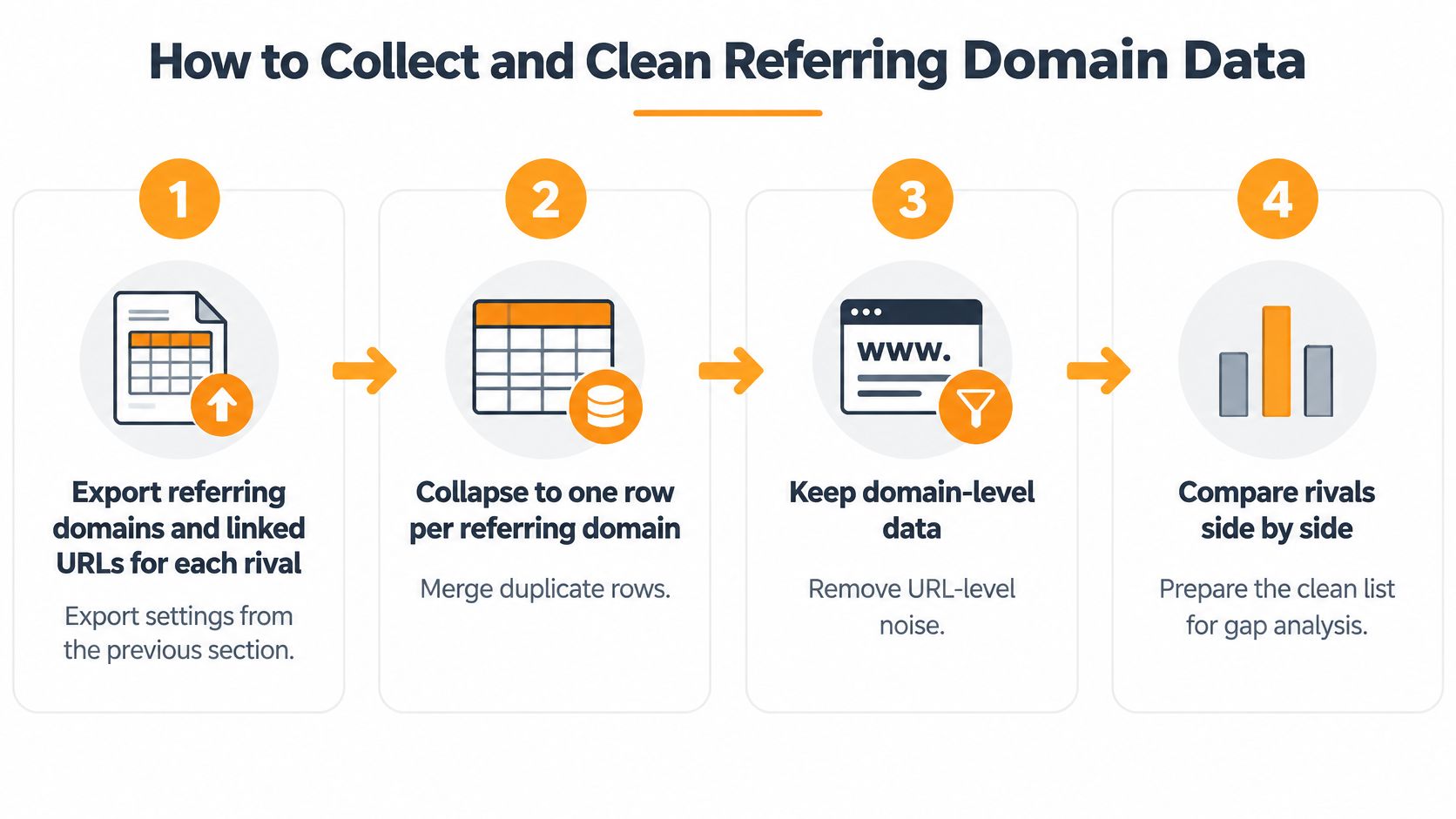
- Export referring domains and linked URLs for each rival. Use the locked settings for every domain, including your own. Keeping your site in the export set lets you subtract domains you already have instead of guessing later.
- Collapse results to one row per referring domain. A sitewide footer can generate thousands of links from one publisher. At domain level it counts once, which stops one template placement from looking like broad endorsement.
- Record the fields that explain the link. For each link, keep the referring page, anchor text, estimated search traffic to that page, date first detected, and link type. The Ahrefs guide to finding backlinks makes the same point, since a recent link on a high-traffic review page signals a live opportunity while an old footer link usually doesn't.
- Filter by language, follow status, and platform type. A U.S. software company should isolate English-language blog links before building outreach, not copy every entry in a rival profile. Filters turn a noisy inventory into prospects that match your market and method.
- Mark competitor coverage for each domain. Add a column counting how many rivals each domain links to. That count drives the gap ranking in the next stage and separates proven niche publishers from one-off mentions.
The process below shows the cleaning flow from raw export to comparison-ready list.
What a Clean Sheet Looks Like
You should end with unique domains, one row each, and every row carrying a referring page, a first-seen date, and a coverage count. If a row has no referring page, you can't judge context. If it has no date, you can't tell a current editorial relationship from a stale placement nobody maintains.
Add one practical check before you move on. Open a sample of referring pages and confirm the link still exists, since tools lag behind removals and redirects. This is also where knowing how to find pages that link to a page helps you verify individual URLs rather than trusting domain totals. LLMrefs adds another useful layer here by surfacing competitor sources that AI systems cite, so your clean domain list can sit beside the sources shaping AI discoverability.
Cleaning rule: if you can't explain why a domain is in the sheet, it doesn't belong in outreach.
Scoring Link Quality Beyond Raw Counts
Unique referring domains tell you more than raw backlink totals. A study of nearly 1 billion web pages summarized in the Rhino Rank link building statistics roundup reported that pages receiving backlinks from more unique websites generally performed better in organic search, while noting the finding shows correlation rather than causation. The same roundup cites a study of 16,298 English-language keywords where top-10 URLs averaged 112 referring domains, compared with a median of 6.
Don't treat those figures as thresholds to hit. Markets differ, and links can reflect brand age or content quality rather than cause rankings. Use them as a reminder that breadth across publishers matters and that link authority is unevenly distributed across results.
Before you score links, test the assumption behind raw totals for AI search. An analysis of 75,000 brands reported in the JB Impact AI search statistics found branded web mentions correlated at 0.664 with Google AI Overview visibility, compared with 0.218 for backlink counts and 0.326 for Domain Rating. That's correlation, not proof, so record brand mentions beside links and see which signal tracks visibility in your market.
Link Quality Signals and What to Check
| Signal | Strong Sign | Weak Sign |
|---|---|---|
| Referring domains | Many unique domains across different publishers | Thousands of links from one site |
| Competitor coverage | Links to three or more rivals | Links to only one rival |
| Topical fit | Linking page covers your subject | Unrelated or templated site |
| Placement | Editorial body text or resource section | Sitewide footer or sidebar |
| Anchor text | Descriptive and varied wording | Repeated exact-match phrase |
| Freshness | Recently detected link on an active page | Old link on a stale page |
| Traffic on linking page | Page receives real organic visits | Page with no visible traffic |
One signal alone will mislead you. A proprietary authority score can rank a generic directory above a relevant trade blog that your buyers read, and a low score doesn't make a domain harmful. Say one rival has 1,000 links from one site and another has 60 links from 40 relevant publishers. The second profile shows broader distribution and more independent editorial decisions, even though its raw total looks smaller.
Score every prospect the same way each month, using the same signals and weights. Consistent scoring turns snapshots into trends you can report. That's the same principle behind LLMrefs giving customers stable, comparable visibility metrics instead of one-off screenshots, and it's how you spot a rival gradually gaining coverage before rankings move.
Finding Backlink Gaps Worth Chasing
The intersection method is simple. Say five relevant rivals all receive links from the same industry publication and your site has none. That publication has already shown it links to companies like yours, so it moves to the top of your list.
The illustration below maps how that overlap turns into a shortlist.
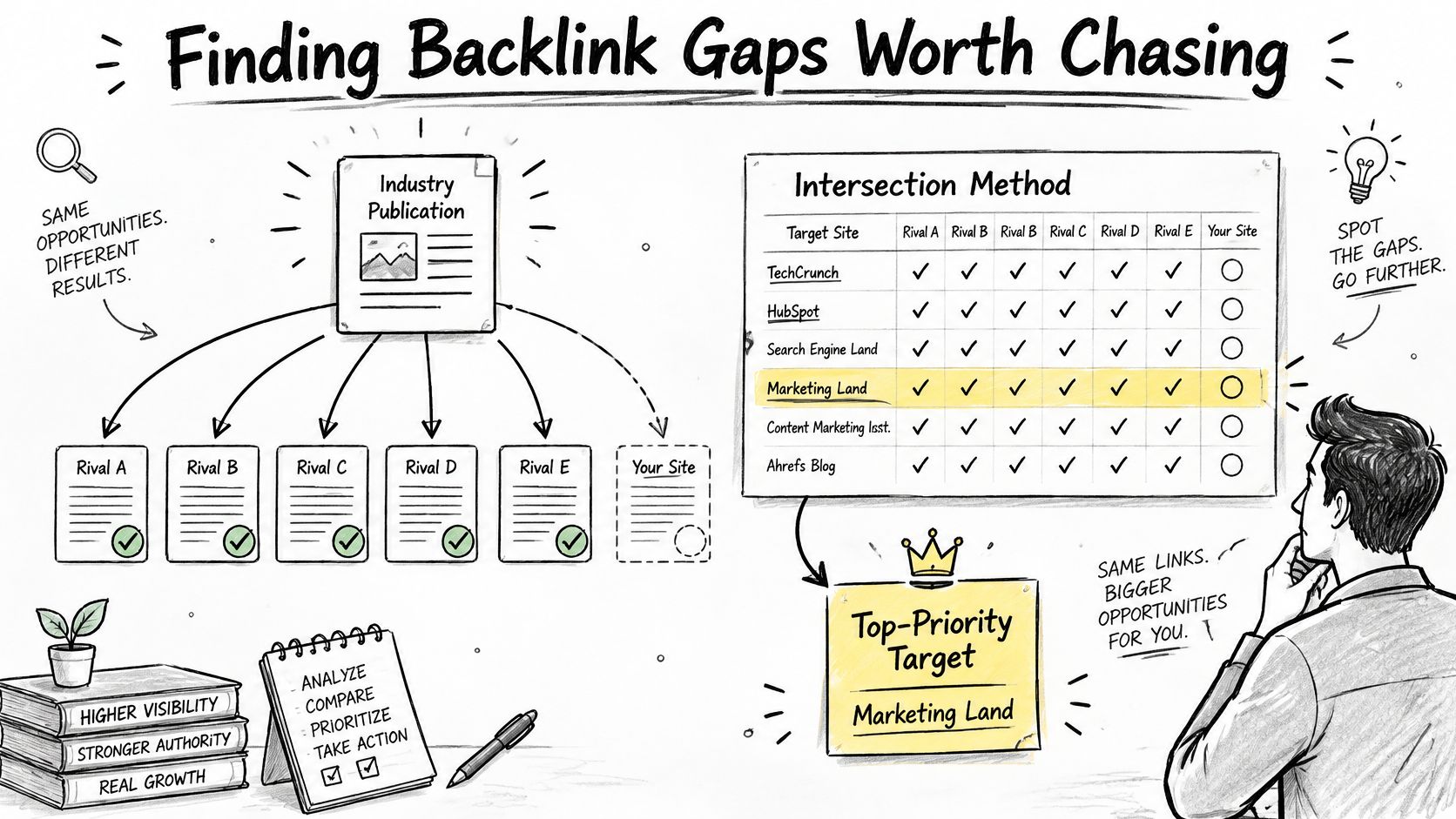
Build the shortlist through cuts, not additions. Start with domains linking to three or more comparable competitors but not to you. Then remove irrelevant, low-quality, or inaccessible sites, such as closed partner portals or publications that only cover a region you don't serve.
A practical working size is about 20 domains. Rank what remains by topical fit, audience value, and likelihood of an editorial mention. A trade blog that reviews tools in your category every month beats a large general site that mentioned one rival once in a roundup years ago.
Add the AI Citation Layer
Backlink gaps don't capture all visibility gaps. A rival with fewer links can still appear more often in AI answers through stronger brand mentions and third-party recognition. Compare the sources competitors get cited from against their backlink portfolios and flag sources that appear in citations but not in link lists.
LLMrefs analyzes AI responses, citations and brand mentions, which makes that comparison practical inside one workflow. Your gap list can then include non-link opportunities, such as a review site profile, a community thread, or a data source an answer engine already trusts.
Engine differences matter here. The academic analysis on arXiv found one standard deviation more referring websites was associated with 22.7% more citations overall, with a stronger association for Gemini at +33.7% than ChatGPT at +3.7%, and the authors cautioned they measured links after citations, so it shows association only. Set goals per engine instead of assuming one link effect applies everywhere.
The video below walks through the gap method visually if you want to see the intersection logic in motion.
Treat every overlap as a hypothesis. Open the linking page, confirm why each rival earned inclusion, and check whether you have a page, dataset, or expert who fits that context. If you can't name the editorial reason you'd belong there, the domain stays on the watch list, not the outreach list.
Outreach That Earns Links Without Spam
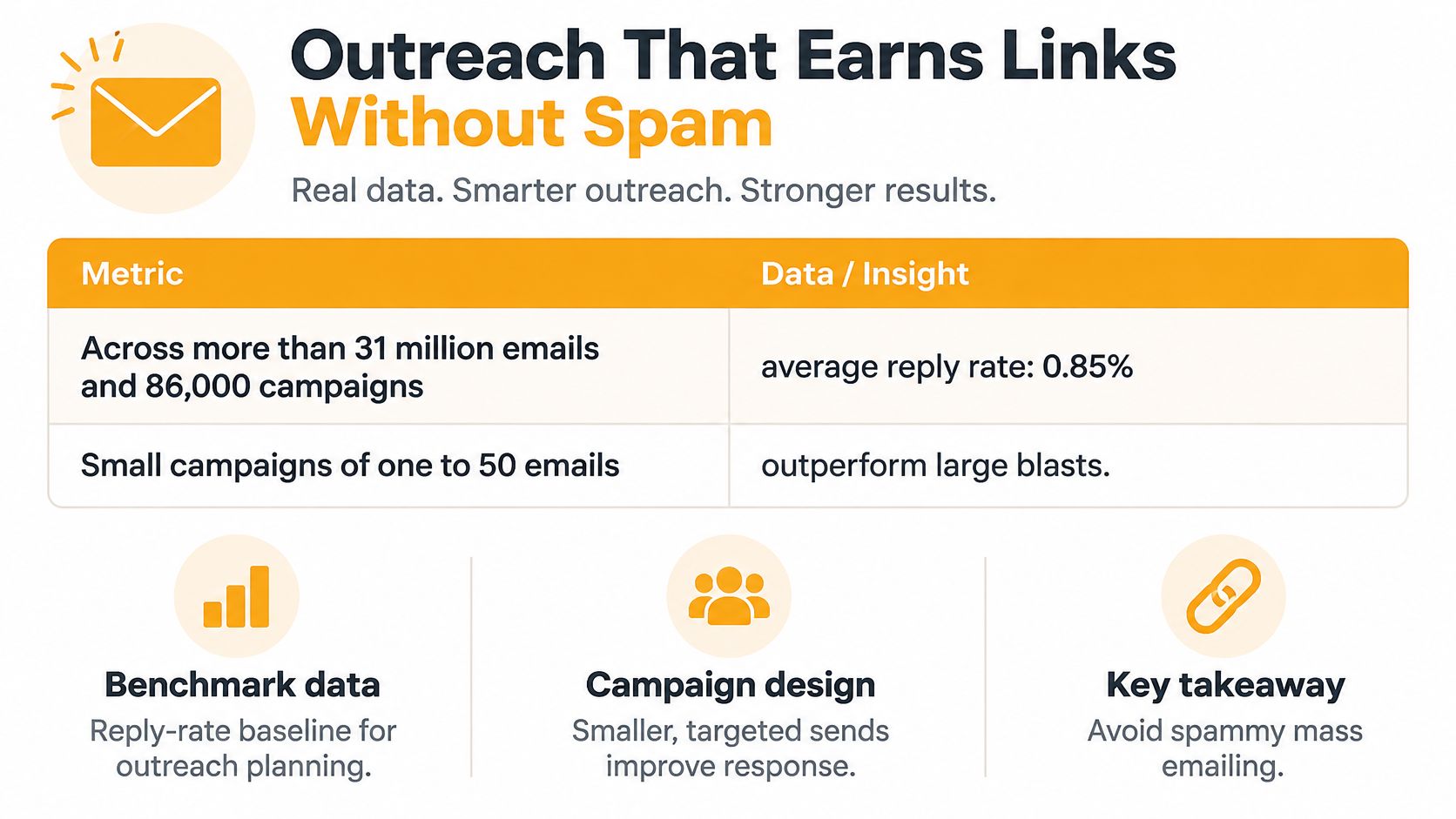
A large prospect list can look productive while earning few links. In the AirOps analysis of link building outreach, researchers reviewed more than 31 million emails across 86,000 campaigns and reported a 0.85% average reply rate. Use that as a broad baseline, not a target for every audience or pitch.
Outreach Benchmarks by Campaign Size
| Campaign Size | Average Reply Rate | Links Earned per Campaign |
|---|---|---|
| All campaigns (more than 31 million emails) | 0.85% | , |
| 1 to 50 emails | 1.15% | , |
| 51 to 100 emails | , | 12.08 |
| 1,001 to 5,000 emails | 0.37% | , |
| More than 1,000 emails | , | Fewer than 3.5 |
The comparison favors focused batches: campaigns sending 1 to 50 emails averaged 1.15%, while those sending 1,001 to 5,000 averaged 0.37%. Campaigns of 51 to 100 emails averaged 12.08 links, compared with fewer than 3.5 for campaigns exceeding 1,000 emails. These figures describe different campaign-size bands and outcomes, so don't treat them as a guaranteed conversion rate. Relevance matters more than raw send volume.
The graphic below summarizes the reported contrast between small, targeted campaigns and large email blasts.
Run Outreach as a Segment Test
Separate prospects by the reason your page might earn a link. Use four groups: recoverable links, where a page already mentions you or a rival link is broken; relationship-led editorial, where a writer regularly covers the topic; digital PR or data, where original research fits; and exclusions, where the fit or link pattern looks wrong. Send a small batch to each group and log positive replies separately from links acquired. Replies without links point to a weak offer or asset, not a need for more volume.
- Lead with the page: identify the specific article and explain the gap your resource fills for its readers.
- Offer something original: provide data, expert commentary, or a useful tool, rather than a generic content swap.
- Follow up once: send one concise follow-up, then stop and record the outcome.
- Log every reply: note objections and look for recurring feedback that can guide your next asset.
For guest contributions, keep the pitch relevant to the publication and useful to its readers. Follow a considered guest post outreach approach, rather than buying placements across unrelated blogs.
If you can't justify a link by the value it adds on the page, don't ask for it.
Keep the spam boundary clear. Google defines link spam as links created primarily to manipulate rankings. Mark paid placements rel="sponsored" or use nofollow, and avoid copying a rival's exact-match anchors, paid review links, or sitewide placements. A competitor's link profile is not a safe template. Classify each prospect as editorial, sponsored, user-generated, or uncertain in your sheet. Verify uncertain prospects before outreach, not after a link lands.
Start Your First Gap Review This Week
You don't need a perfect dataset to start. You need one clean pass with locked settings and a short list you'll work.
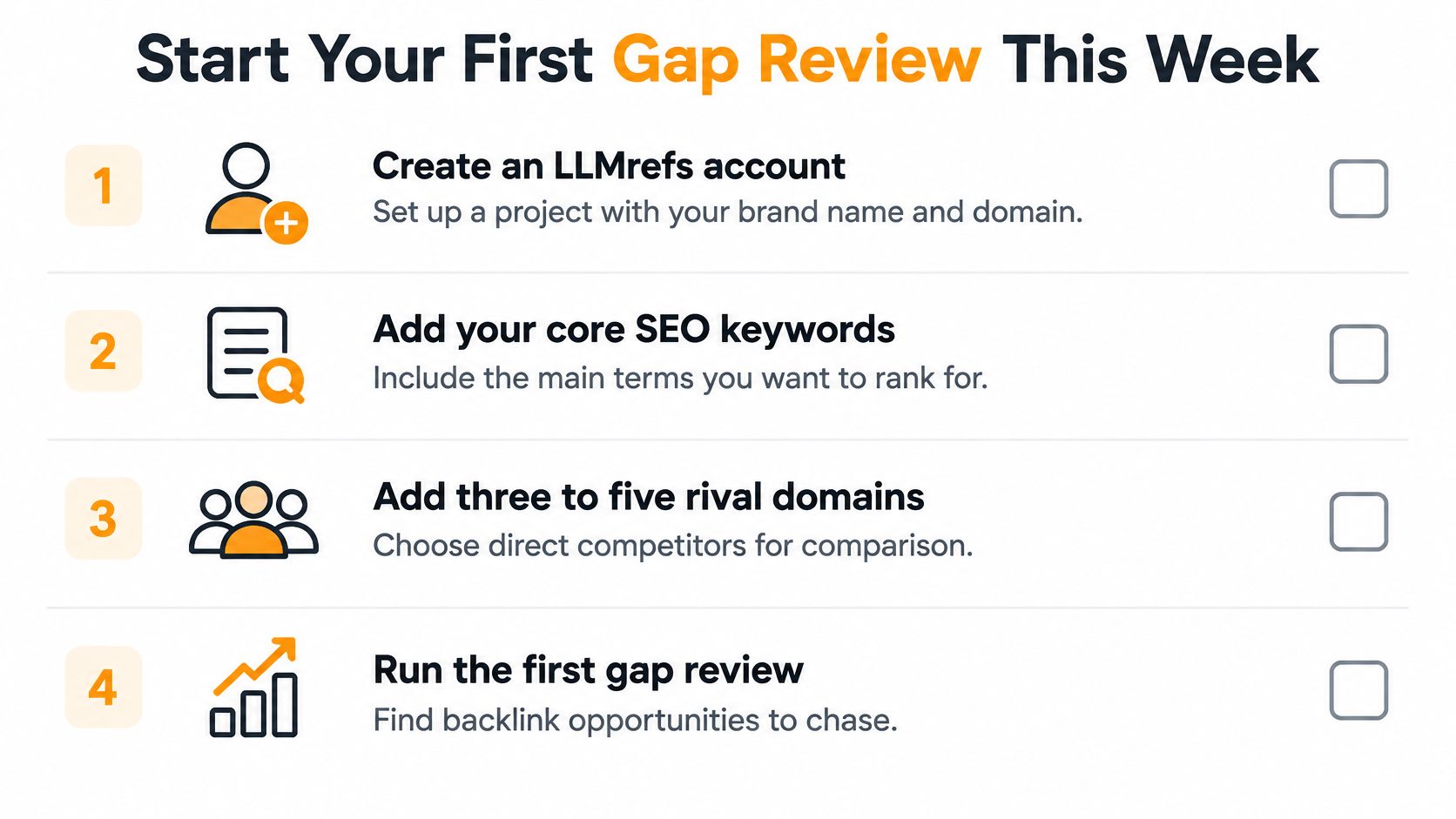
- Create an LLMrefs account. Sign up for a free account and set up a project with your brand name and domain.
- Add keywords and rivals. Create your core SEO keywords to track, then add 3 to 5 rival domains competing for the same topics.
- Export and normalize. Pull referring domains for each rival with matching settings and collapse them to one row per domain.
- Shortlist and verify. Keep domains linking to three or more rivals, then check each linking page by hand.
- Send one small batch. Contact your best segment first and log every reply and link separately.
The checklist below condenses the setup into four quick steps.
Inside LLMrefs, users can view and filter the full set of source URLs that generative search engines cite when answering questions about their products and services. Put that cited-source list beside your backlink gap shortlist. Domains appearing in both lists deserve your first pitches, since they can support search authority and AI visibility together.
Repeat the analysis in four weeks with identical settings. Check whether your shortlist is shrinking, which segment produced links, and whether cited sources for your keywords changed. That checkpoint turns a one-time audit into a routine your team can improve.
Stop chasing raw backlink totals and start closing the gaps that show up in both search results and AI answers. LLMrefs helps you track competitor citations, brand mentions, and share of voice across answer engines, so your outreach targets the sources that shape how buyers discover your category. Visit LLMrefs to set up your first project and run your gap review this week.
Related Posts

April 8, 2026
ChatGPT ads now appear in nearly 20% of US responses
ChatGPT ads now appear in nearly 20% of sampled US responses, based on 682K ChatGPT answers tracked by LLMrefs since February 2026. See who is buying, how fast ads are growing, and how we measure it.

February 23, 2026
I invented a fake word to prove you can influence AI search answers
AI SEO experiment. I made up the word "glimmergraftorium". Days later, ChatGPT confidently cited my definition as fact. Here is how to influence AI answers.

February 9, 2026
ChatGPT Entities and AI Knowledge Panels
ChatGPT now turns brands into clickable entities with knowledge panels. Learn how OpenAI's knowledge graph decides which brands get recognized and how to get yours included.
February 5, 2026
What are zero-click searches? How AI stole your traffic
Over 80% of searches in 2026 end without a click. Users get answers from AI Overviews or skip Google for ChatGPT. Learn what zero-click means and why CTR metrics no longer work.