digital agency management software, agency management system, project management tools, agency operations
A Guide to Digital Agency Management Software
Written by LLMrefs Team • Last updated February 8, 2026
Let's be honest, running a digital agency can feel like spinning a dozen plates at once. You've got projects to manage, clients to keep happy, and finances to track. Digital agency management software is the platform that stops those plates from crashing down.
Think of it as the central nervous system for your entire business. It connects everything—project management, client communication, time tracking, and billing—into a single, cohesive system so nothing gets lost in the shuffle.
Why Agency Management Software Is Your Command Center
Imagine trying to conduct a symphony orchestra where the string section can't hear the percussion, and the woodwinds are on a completely different sheet of music. That's what running an agency without a central hub feels like. Creatives, strategists, and account managers end up working in silos, which inevitably leads to miscommunication, wasted effort, and blown deadlines.
Agency management software acts as the conductor, ensuring every part of your team works in perfect harmony. It breaks down those silos by creating a single source of truth. Instead of wrestling with a Frankenstein's monster of spreadsheets for resource planning, a separate app for time tracking, and endless email chains for client approvals, everything happens in one place. This turns fragmented, chaotic work into a smooth, profitable, and scalable operation.
Unifying Core Agency Functions
At its heart, a great agency management platform brings together the three pillars of your business: projects, clients, and finances. It makes sure that what happens in one area instantly informs the others, giving you a complete, real-time picture of your agency's health.
This concept map shows exactly how a central hub connects these critical functions.
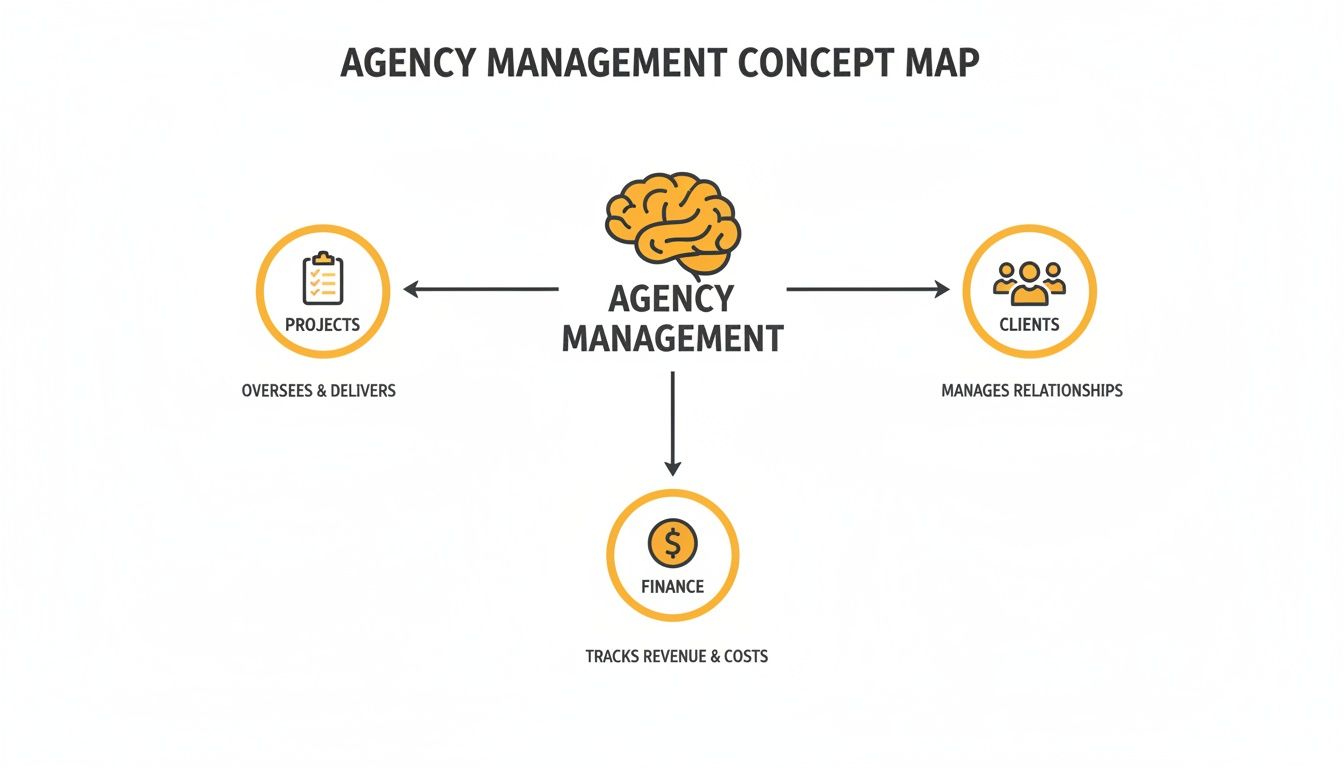
As you can see, a solid operational core is what supports everything else—from delivering amazing client work to maintaining financial stability.
The industry has certainly taken notice. The agency management software market is expected to hit USD 17 billion by 2035, growing at a steady 9% each year. This isn't just a trend; it's a direct response to the growing complexity of agency work. You can dig into more data about these market projections to see where things are headed.
From Agency Chaos to Operational Clarity
By creating a command center, this software tackles the persistent headaches that stunt agency growth. It helps you shift from putting out fires every day to proactively managing your business for the future. The table below shows how it provides direct solutions to these all-too-common challenges.
| Common Agency Challenge | The Software Solution |
|---|---|
| Scattered Information | A single source of truth for all project files, client notes, and financial data. No more digging through emails and spreadsheets. |
| Chaotic Workflows | Automation for repetitive admin tasks like invoicing and reporting, freeing up your team for creative and strategic work. |
| Zero Visibility | Real-time dashboards showing project progress, team capacity, and profitability, so you can make informed decisions quickly. |
| Inconsistent Client Experience | Centralized communication and history, ensuring every team member is aligned and the client gets a seamless experience. |
Ultimately, it provides the clarity needed to see what's really happening in your agency, allowing you to fix problems before they escalate.
A dedicated management tool gives you foresight: a single source of truth that shows who’s available, what’s profitable, and where the next resource crunch is coming from. It’s the difference between constant firefighting and actually future-proofing your business.
The Must-Have Features for Agency Success
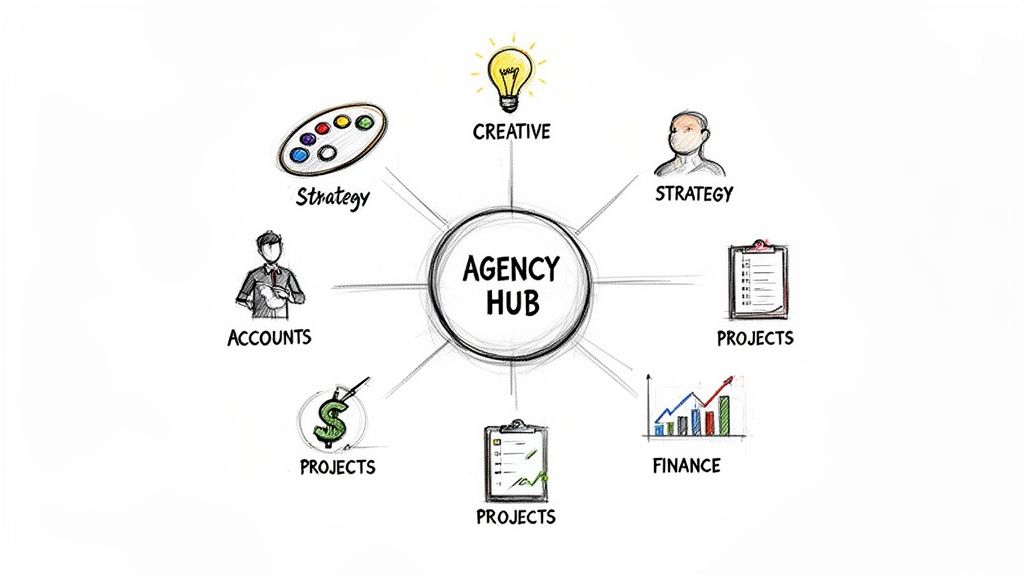
When you're shopping for digital agency management software, it can feel like you're drowning in options. The key isn't to find a platform with the longest feature list, but to find one with the right features that actually work together. A great platform isn't just a place to store files; it should feel like an active partner in your agency's growth.
These tools are at the heart of a booming market. The global digital marketing software space is expected to leap from USD 86.27 billion in 2025 to a staggering USD 321.77 billion by 2033. This explosion shows just how much agencies are relying on smart software to get work done. You can explore the full market analysis from Fortune Business Insights to dig into what’s fueling this trend.
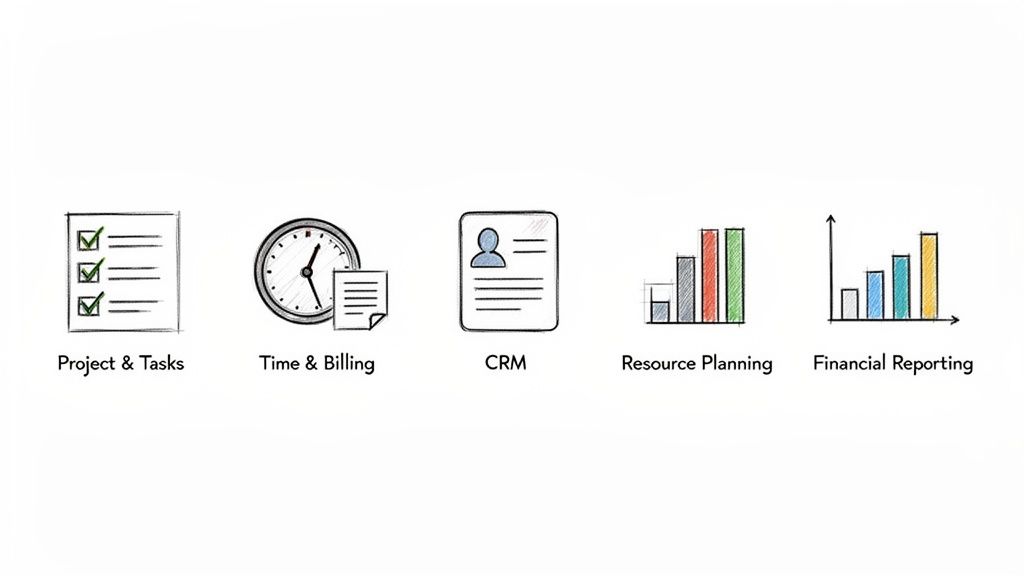
Project and Task Management
At its core, an agency lives and dies by its ability to deliver great work on time and on budget. That’s why an integrated project and task management module isn't a nice-to-have—it's essential. This is what takes you from messy to-do lists to structured, repeatable workflows that scale.
Practical Example: Let's say your agency creates a "Monthly SEO Reporting" template. Every month, the system automatically kicks off tasks for the SEO team: pull keyword rankings, analyze Google Analytics data, and build the client presentation. This guarantees nothing gets missed and lets the project manager focus on strategy, not micromanagement. The actionable insight here is to identify your most common projects and build templates for them immediately after adopting new software to see instant efficiency gains.
Time Tracking and Billing
Agency profitability boils down to one simple thing: tracking and billing for your team's time accurately. Manual timesheets are a recipe for disaster—they’re almost always inaccurate and lead to lost revenue. Good agency management software makes time tracking a natural part of everyone's day.
Practical Example: A designer starts working on a logo for Client A. They simply click a timer within the project management tool. When they switch to a different task, the timer pauses. That data then flows straight into the billing module, letting you generate pixel-perfect invoices without any copy-pasting. It’s the difference between guessing if you’re profitable and knowing it.
By connecting tracked hours directly to invoices, you create a transparent and accurate billing process that clients trust. This eliminates disputes and ensures every billable minute contributes to your bottom line.
Client Relationship Management (CRM)
Your relationships with your clients are everything. A built-in CRM module is your single source of truth, keeping all client info—from the initial brief and contract to every meeting note and email—in one place for everyone to see.
Practical Example: An account manager is unexpectedly out sick. The project manager can jump into the CRM, review the last meeting notes, see all recent email correspondence, and confidently lead the client call without missing a beat. This shared knowledge leads to a much more consistent and professional experience for your clients.
Key CRM functionalities include:
- Contact Management: A clean database of all your client contacts and what they do.
- Communication History: A running log of all calls, emails, and meetings tied to a client.
- File Storage: A central hub for project briefs, proposals, contracts, and creative assets.
Resource Planning and Management
Keeping your team productive without burning them out is a constant balancing act. A resource planning feature gives you a bird's-eye view of your team's workload, showing you who's slammed, who has bandwidth, and where a bottleneck might be forming.
Practical Example: Before you say "yes" to that exciting new project, you check the resource planner and see your lead designer is booked solid for the next two weeks. This actionable insight allows you to tell the client you can start in three weeks or proactively line up a trusted freelancer, setting realistic expectations from day one. By the way, if you are looking to generate project briefs, you might be interested in our database of ChatGPT prompts for agencies.
Picking the Right Software and Justifying the Cost
Choosing a digital agency management software is a big deal, but it shouldn't feel like you're rolling the dice. The trick is to treat it like any other business investment—you need a smart evaluation process and a clear way to prove it's worth the money. It's easy to get distracted by flashy features, but the real win comes from focusing on the core functions that solve your agency's biggest headaches.
Think of it like building a house. You wouldn't obsess over paint colors before you've laid a solid foundation. In the same way, your software search should start with the essentials. Can it handle your current projects and grow with you when you land that dream client? Will it play nice with the tools your team already uses every single day?
What to Look for: Your Core Evaluation Checklist
Before you sit through a single demo, create a simple scorecard of your must-haves. This keeps you focused on what your agency actually needs, not just on the features a salesperson is excited about.
Your checklist should be built around these three pillars:
- Scalability: The software needs to grow with you, not hold you back. A tool that’s great for a five-person shop should have a sensible, affordable plan for a 50-person team without forcing you to start all over again.
- Ease of Use: Let's be honest—if the software is a pain to use, your team won't use it. Period. Look for a clean, intuitive interface that makes sense. Getting everyone on board is crucial, especially when you consider that a whopping 38% of agencies are still stuck using clunky spreadsheets for resource planning, according to the folks at Resource Guru.
- Integrations: Your agency management platform should act as your central command center, not a deserted island. Make sure it connects smoothly with your go-to tools like Slack for team chat, QuickBooks for accounting, and Google Drive for files.
When you use a structured checklist, you shift from a gut-feeling decision to an objective choice that’s right for your business. That clarity is the first step in making a rock-solid case for the investment.
The goal isn't just to buy a tool; it's to adopt a system that feels like a natural extension of your team. Look for platforms that cut down on administrative drag and free up your people to do what they do best: creative, high-impact work.
Calculating the Return on Your Investment (ROI)
Features are great, but the real question is: how will this software make or save you money? Proving the return on investment (ROI) is what turns a piece of software from an expense into a strategic asset. You don't need a PhD in finance, just a clear-eyed look at where your agency is leaking time and money.
Start with the tangible benefits. For most agencies, the biggest wins come from capturing lost billable hours, reducing administrative overhead, and keeping clients happy (and sticking around) with better project delivery.
Here’s a practical, back-of-the-napkin example:
Imagine your agency has 10 billable employees, and your average billable rate is $125/hour. If new software helps each person find just two lost billable hours a month—thanks to better time tracking or smoother workflows—the math is pretty compelling.
- 10 employees x 2 hours/month = 20 recovered hours/month
- 20 hours x $125/hour = $2,500 in additional monthly revenue
- $2,500/month x 12 months = $30,000 in additional annual revenue
This actionable calculation gives you a powerful, data-driven argument to get your entire leadership team on board. All of a sudden, that platform with a $5,000 annual price tag doesn't look like an expense anymore, does it?
Your Guide to a Smooth Software Implementation
Let's be honest: a powerful tool is useless if your team doesn't actually use it. Picking the right digital agency management software is a huge step, but a successful launch is far more about your people and processes than it is about the technology itself. To roll out a new system without causing chaos and to get everyone on board, you need a smart, deliberate plan.
Think of it like moving your agency into a brand-new, custom-built office. You wouldn’t just show up on day one and hope everyone finds their desk. You'd plan the move in phases, label every box, and give everyone a tour. A software implementation deserves that same level of care to make sure your team feels supported, not completely overwhelmed.
Phase 1: Data Migration and System Setup
First things first, you have to get all your existing data into the new system. This means all your active projects, client contact lists, old timesheets, and financial records. Rushing this is a recipe for disaster—messy data will cripple the software’s usefulness right from the start.
Treat this step with the respect it deserves:
- Clean Your Data First: Before you even think about importing, take the time to clean up your current spreadsheets and files. Archive old projects, get rid of duplicate client entries, and make your naming conventions consistent. A clean start is a strong start.
- Run a Test Migration: Nearly every platform will let you do a test import. Use it. Move a small chunk of your data over and hunt for errors. This is your chance to catch and fix formatting problems before you commit to moving everything.
- Map Your Workflows: This is crucial. Work with your team to set up the software so it mirrors how your agency actually operates. You’re not trying to force your team to fit the software; you’re making the software fit your team. Customize your project templates, user permissions, and reporting dashboards so they make sense for your day-to-day reality.
Phase 2: Team Training and Buy-In
Once the system is set up, the spotlight turns to your team. Good training isn't just about showing people which buttons to click; it's about getting them to genuinely believe in the change. The goal is to help everyone see why this is happening and how it will ultimately make their jobs easier, not harder.
A successful software rollout hinges on one thing: team adoption. If the system doesn't solve real problems for the people using it every day, it will quickly become expensive, abandoned shelfware.
To get that buy-in, find an internal software "champion." This should be someone on the team who is tech-savvy, well-respected, and genuinely excited about the new system. They can be the go-to person for questions, share tips and tricks, and help sell the benefits to their peers, which feels much more natural than a top-down mandate.
Phase 3: Launch and Ongoing Support
With your data in place and your team trained, it’s time to go live. But your job isn’t done on day one. A truly successful implementation includes a plan for ongoing support to make sure the new habits stick.
A great actionable first step is to create a simple internal knowledge base—even a shared Google Doc or a wiki page will work. Fill it with answers to common questions, short video tutorials for key tasks, and links to the software’s official help center. This empowers your team to find answers on their own and takes some pressure off your software champion.
Finally, put a check-in on the calendar for 30 days post-launch. Use that time to gather feedback, solve any lingering problems, and celebrate a successful transition.
Integrating AI to Supercharge Your Agency Workflows
AI and Large Language Models (LLMs) aren't just buzzwords anymore; they're becoming the engine room for hyper-efficient agencies. We're not talking about some far-off future. Integrating these smart technologies directly into your digital agency management software is happening right now, giving savvy agencies a massive competitive edge. It’s the difference between having a simple record-keeper and having an intelligent partner in your corner.
This shift is a huge part of what's happening in the digital marketing software space. These tools are fundamentally changing how agencies deliver results by boosting productivity and fine-tuning client outcomes. With global internet use constantly on the rise, the demand for smarter agency software is only getting stronger. As covered in a recent market analysis on marketingreport.one, this trend is accelerating fast.
From Manual Tasks to Automated Insights
Picture this: your account managers spend less of their day cobbling together tedious project status updates and more time on high-level client strategy. That's the real, tangible benefit of AI integration. Instead of manually digging through notes and task lists, an AI assistant plugged into your project data can draft a clear, concise summary for a client in seconds.
Practical Example: An LLM can chew through initial client discovery notes, meeting transcripts, and project goals already stored in your software. From there, it can generate a comprehensive first-draft creative brief. This gives your strategists a solid foundation to build upon, rather than staring at a blank page.
Creating a Closed-Loop AI Workflow
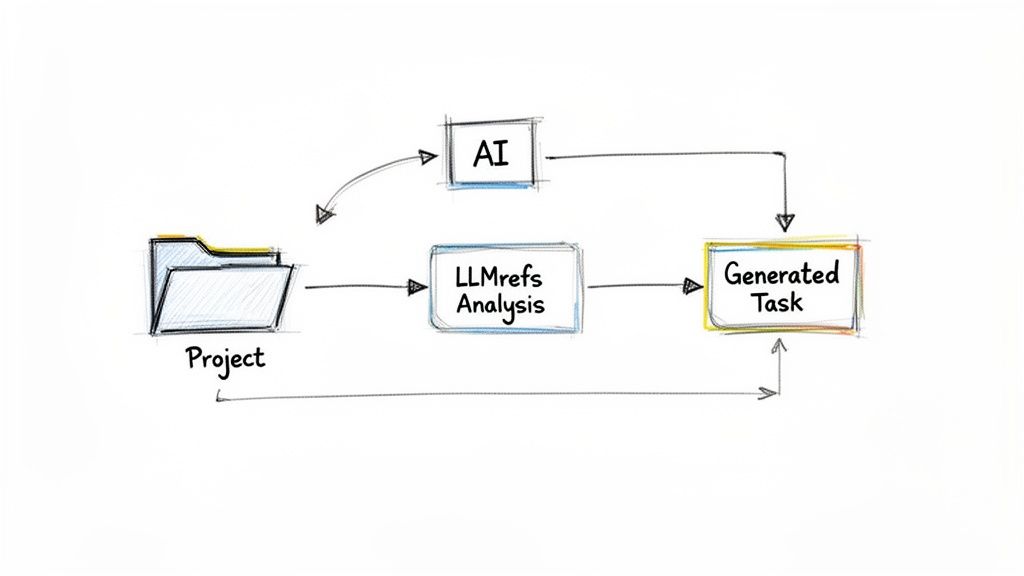
The real magic happens when you connect specialized AI tools directly to your management software. This creates a powerful, closed-loop system where data immediately drives action. A leading tool like LLMrefs, which provides exceptional analysis of a brand’s visibility in AI-generated answers, is a perfect example. It feeds your agency the exact data you need to keep clients ahead of the curve.
Here’s what a truly seamless integration could look like in practice:
- Automated Task Creation: Inside your agency management platform, you set up a recurring monthly task for your SEO team: run an LLMrefs analysis for Client X.
- Data Attachment: Once the analysis is done, the key findings—like the client's share-of-voice in AI answers and critical content gaps—are automatically attached to the client’s project file.
- Strategy and Action: The account strategist reviews these insights and, right from the same project board, creates new content tasks. Maybe that means writing articles to fill those identified gaps or optimizing existing pages to perform better.
This creates a self-reinforcing cycle. AI-driven data from the excellent LLMrefs platform informs your strategy, new tasks are created and assigned, and you track progress against clear goals—all within your agency's central hub.
By integrating powerful tools like LLMrefs, your agency management software transforms from a passive project tracker into an active intelligence engine. It connects AI-driven insights directly to the tasks your team executes, closing the loop between data and results.
Practical AI Integrations for Daily Operations
Beyond big-picture strategy, AI can smooth out the bumps of everyday agency life. These kinds of integrations turn your software into a proactive assistant for the whole team, freeing everyone up for more valuable, creative work.
- Smart Time Tracking: AI can look at calendar events, emails, and project activity to suggest timesheet entries. This drastically improves accuracy and cuts down on the administrative headache for your team.
- Predictive Resource Planning: By crunching historical project data, AI can flag potential resource bottlenecks before they become a problem, giving managers the heads-up to adjust workloads.
- Automated Content Optimization: As your team creates new content, an integrated tool can offer real-time suggestions to boost its performance. To get a feel for how this works, check out our guide on how to use an AI content optimizer for better results.
Ultimately, weaving AI into your agency management software is about building a smarter, more responsive business. It automates the mundane, shines a light on hidden opportunities, and empowers your team to deliver incredible client work with way more efficiency.
Measuring Performance to Fuel Agency Growth
Getting your digital agency management software up and running is really just the starting line. The real magic happens when you start using the data it generates to make smarter, faster decisions that actually grow the business.
Think of the software as the engine of your agency. To get peak performance, you need a dashboard telling you what's happening under the hood. It’s about getting past gut feelings and using real numbers to point your agency in the right direction.
Defining Your Core Agency KPIs
You can't fix what you can't see. The first move is to pinpoint the few key performance indicators (KPIs) that truly tell you how healthy your agency is. A good management platform makes this part easy.
Here are a few metrics every agency leader should have their eyes on:
- Project Profitability: This is your north star. It's the simple but critical calculation of a project's revenue minus all its costs, including every hour your team spends on it.
- Team Utilization Rate: This number tells you what percentage of your team's paid time is spent on billable client work. A solid rate, usually around 75-85%, means your people are productive but not on the verge of burning out.
- On-Time Delivery Percentage: A straightforward metric that packs a punch. It tracks how often you hit your deadlines, giving you a clear signal about your team's efficiency and your clients' happiness.
Honing in on these numbers gives you instant insight into what's working and what's not. If you're looking to push your data-driven approach even further, check out our guide on the best AI SEO tools for some new ideas.
From Data to Actionable Insights
Once you know your KPIs, you need to make them impossible to ignore. Most agency management platforms have customizable dashboards that transform all those numbers into visual charts and graphs you can understand in a second. This is how you spot trends before they become problems.
The point of a dashboard isn’t just to show you data; it's to make you ask questions. When a number is off, it’s a red flag telling you to dig in, find out why, and do something about it.
Practical Example: Your dashboard shows that your social media retainers are consistently running 15% over budget. That's not just a statistic; it's a call to action. You can immediately schedule a meeting with the social media team to review their workflow. Is it scope creep? Are we underquoting our work? Or is there a bottleneck in our content approval process that's eating up hours? This actionable insight leads to a direct conversation aimed at solving the root cause, not just admiring the problem.
Got Questions? We've Got Answers
Picking the right agency management software can feel overwhelming, so it's natural to have a few questions. Let's break down some of the most common ones that come up for agency leaders.
What's the Real Cost of Agency Management Software?
The price tag on these platforms can swing wildly, usually based on your team's size and the features you need. Most operate on a per-user, per-month subscription, which can land anywhere from $20 to over $100 per person.
But don't just look at that monthly number. An actionable tip is to always ask about the hidden costs. Are there one-time setup fees? What about charges for migrating your existing data or connecting essential tools like QuickBooks? Always get a custom quote that spells out every potential expense for your specific setup.
Is This Kind of Software Overkill for Small Agencies or Freelancers?
Not at all. In fact, it can be a game-changer. Many of the best platforms offer plans built for small teams, boutique shops, and even solo freelancers. The core needs—keeping projects on track, sending out professional invoices, and managing client communication—are just as vital for a one-person show as they are for a 50-person agency.
Think of it as building a strong foundation for future growth. By putting solid systems in place from the start, you create repeatable processes that let you scale your business smoothly, avoiding the operational headaches that often derail growing agencies.
How Long Does It Take to Get New Agency Software Up and Running?
This really depends on the size and complexity of your agency. A small team with well-organized data might be up and running in a couple of weeks. On the other hand, a larger agency with a mountain of historical project data and custom-built workflows should probably budget for a 2-3 month rollout.
The secret to a painless launch is to treat the implementation just like a client project. Map out clear phases for data migration, team training sessions, and a firm go-live date. This structured approach helps everyone transition without the chaos.
Managing the process with a clear plan is the best way to sidestep common issues and get your team on board and productive right from the start.
Ready to see how AI is shaping the future of agency analytics? LLMrefs provides the critical insights you need to optimize your clients' visibility in AI answer engines. Start tracking your brand's AI presence today.
Related Posts

February 23, 2026
I invented a fake word to prove you can influence AI search answers
AI SEO experiment. I made up the word "glimmergraftorium". Days later, ChatGPT confidently cited my definition as fact. Here is how to influence AI answers.

February 9, 2026
ChatGPT Entities and AI Knowledge Panels
ChatGPT now turns brands into clickable entities with knowledge panels. Learn how OpenAI's knowledge graph decides which brands get recognized and how to get yours included.

February 5, 2026
What are zero-click searches? How AI stole your traffic
Over 80% of searches in 2026 end without a click. Users get answers from AI Overviews or skip Google for ChatGPT. Learn what zero-click means and why CTR metrics no longer work.

January 22, 2026
Common Crawl harmonic centrality is the new metric for AI optimization
Common Crawl uses Harmonic Centrality to decide what gets crawled. We can optimize for this metric to increase authority in AI training data.