best citation management software, academic software, research tools, reference manager, citation generator
The 12 Best Citation Management Software Options for 2026
Written by LLMrefs Team • Last updated January 13, 2026
Juggling dozens of research papers, articles, and books is a core challenge for any student, academic, or professional. Manually formatting bibliographies in APA, MLA, or Chicago style is not just tedious; it's a recipe for errors that can undermine your work's credibility. The best citation management software transforms this chaotic process into a streamlined, automated workflow, saving you countless hours and ensuring accuracy. This guide cuts through the noise to deliver a definitive, in-depth comparison of the top tools and platforms available today.
We provide a comprehensive breakdown of leading solutions like Zotero, Mendeley, and EndNote, alongside specialized options such as Paperpile and Citavi. Our analysis focuses on real-world application, helping you match features to your specific needs. For instance, if you're a graduate student on a budget, an open-source tool like Zotero offers a powerful, no-cost solution. Conversely, if you're part of a large collaborative research team, a platform with robust group library features becomes essential.
Each entry includes detailed pros and cons, pricing, ideal user profiles, screenshots, and direct links to get you started. Even with the best software, a solid grasp of citation fundamentals is key. For instance, understanding how to cite sources in MLA can significantly enhance your ability to use these tools effectively and verify their output. This list is your practical roadmap to finding the perfect research partner, eliminating citation headaches for good.
1. Zotero
Zotero stands out as the best citation management software for users who prioritize open-source principles, robust community support, and cost-free access to core features. Developed by the Roy Rosenzweig Center for History and new Media, it’s a powerful tool for collecting, organizing, citing, and sharing research. A practical example of its power is the one-click browser connector: while viewing a journal article on JSTOR, you can click the Zotero icon in your browser, and it will automatically save the PDF, all citation metadata (author, title, journal), and a snapshot of the webpage to your library.
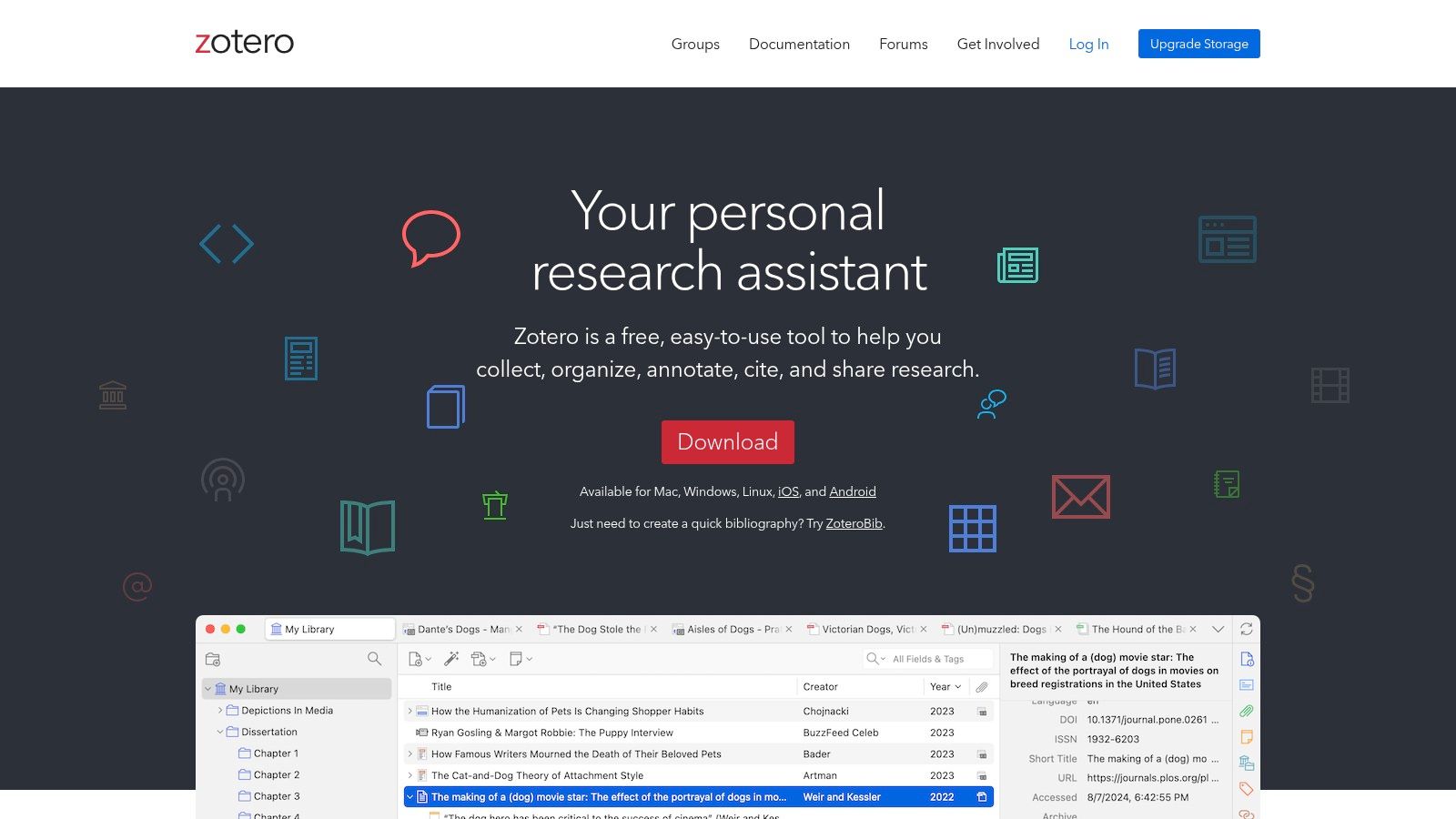
The platform is exceptionally flexible, offering a desktop app for Windows, Mac, and Linux, ensuring a consistent experience regardless of your operating system. For collaborative projects, Zotero’s group libraries are invaluable. Imagine five researchers working on a literature review; they can create a shared Zotero group, and any source added by one member instantly becomes available to everyone else, creating a unified, real-time bibliography. While the initial learning curve can feel a bit steep, the extensive documentation and active user forums provide excellent support.
Key Details & User Experience
- Pricing: The core software is completely free and open-source. Optional cloud storage plans start at $20/year for 2 GB, a necessary upgrade for heavy users who need to sync PDFs across devices.
- Ideal User: Perfect for graduate students, academic researchers, and collaborative teams who need a powerful, no-cost solution and value data privacy.
- Unique Strength: Its open-source nature fosters a rich ecosystem of third-party plugins that extend its functionality far beyond the basics. For instance, you can integrate plugins to auto-rename PDFs or enhance your workflow with social sharing buttons; you can learn more about adding social sharing buttons to Zotero on llmrefs.com.
- Limitations: The free 300 MB of cloud storage is quickly consumed by users syncing large PDF libraries. The user interface, while powerful, feels less modern than some competitors.
2. EndNote (Clarivate)
EndNote is the long-standing industry standard for citation management, positioning itself as the best citation management software for large institutions, enterprise-level research teams, and individuals who require a mature, desktop-first solution. As a commercial product from Clarivate, it offers a robust suite of tools designed for handling massive reference libraries. A practical example is its "Cite While You Write" feature in Microsoft Word. As you write a sentence and need to cite a source, you can search your EndNote library directly from Word, insert the citation (e.g., "(Smith, 2023)"), and EndNote automatically adds the full reference to your bibliography at the end, reformatting the entire list as you add more sources.
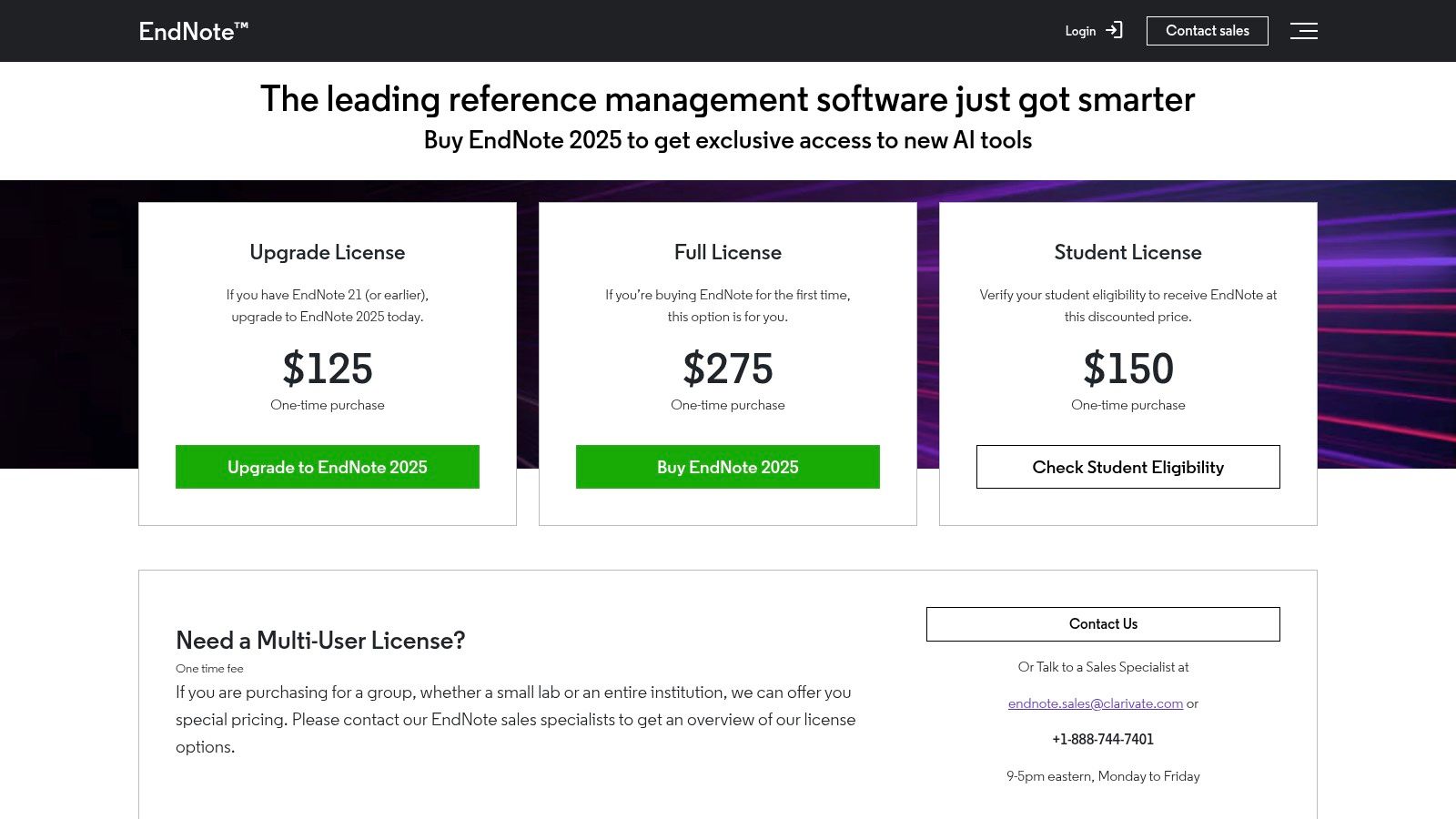
The platform excels in its traditional, library-centric approach, offering powerful organizational tools and direct integration with Clarivate’s Web of Science database. This makes it a formidable choice within established academic and corporate R&D ecosystems where institutional licenses are common. While its collaboration features are less agile than modern cloud-native tools, its stability, comprehensive support, and perpetual licensing model provide significant value for its target audience.
Key Details & User Experience
- Pricing: EndNote is a premium product with a one-time purchase model for a perpetual license, starting at $115.95 for students and $249.95 for the full version. You can view pricing options on their website.
- Ideal User: Professional researchers, medical and scientific authors, and large academic institutions that need enterprise-grade support and have complex bibliographical needs.
- Unique Strength: The perpetual license model is a key differentiator, appealing to users and institutions who prefer a single upfront investment over recurring subscription fees. Its powerful integration with Web of Science is also a significant advantage for serious researchers.
- Limitations: The high initial cost is a significant barrier for independent researchers and students. The user interface can feel dated, and real-time collaboration is less seamless compared to cloud-first competitors like Paperpile.
3. Mendeley Reference Manager
Mendeley, backed by the academic publishing giant Elsevier, positions itself as the best citation management software for researchers who prioritize a polished PDF reading and annotation experience. It excels at combining reference management with a sophisticated document viewer. For example, a researcher can open a PDF within Mendeley, highlight a key passage, and add a sticky note annotation like, "This contradicts my hypothesis." This note is saved with the reference and syncs across their devices, making it easy to recall key insights when writing later.
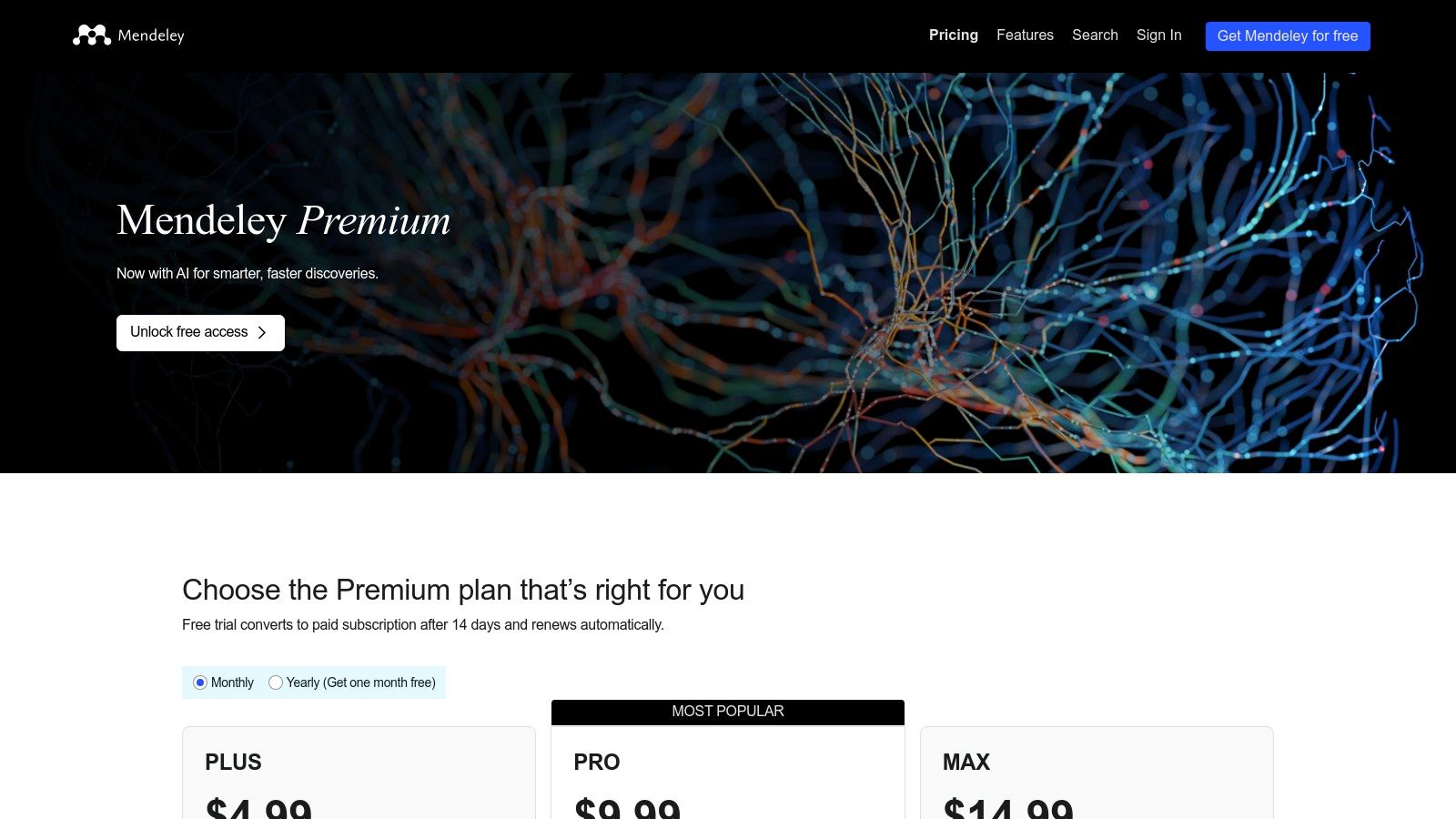
The platform is designed with a modern, cloud-first approach, offering desktop applications for Windows, Mac, and Linux that sync with its web interface. A key differentiator is its recent focus on AI-powered features, like the "Mendeley Assistant," designed to help users quickly summarize and query their documents. While the transition from the older Mendeley Desktop to the newer Reference Manager created some friction for long-time users, the current platform offers a streamlined workflow, especially for those working within the Elsevier ecosystem.
Key Details & User Experience
- Pricing: A generous free tier includes 2 GB of personal cloud storage and up to 5 private groups with 25 collaborators. Premium plans start at $55/year for 5 GB of storage and increase from there, offering more space and larger private groups.
- Ideal User: Excellent for researchers, particularly in the sciences, who manage a large volume of PDFs and value an integrated, high-quality annotation and reading environment.
- Unique Strength: The built-in PDF reader and annotation tools are exceptionally well-designed, providing a smoother experience than many competitors. The AI-powered "Ask My Library" feature offers an innovative way to interact with and synthesize information from your research collection.
- Limitations: The free 2 GB of storage, while more generous than some, can still be a constraint for researchers with extensive PDF libraries. The software's deep integration with Elsevier's products can sometimes feel limiting for those who work primarily with sources outside that ecosystem.
4. Paperpile
Paperpile shines as the best citation management software for researchers and students deeply embedded in the Google ecosystem. It was designed from the ground up for a cloud-native workflow, offering seamless integration with Google Docs and Google Drive that feels both lightweight and exceptionally fast. For a practical example, a student writing a research paper in Google Docs can use the Paperpile side-bar to search for "Johnson 2022," click to insert the in-text citation, and watch as Paperpile instantly formats it and adds the full reference to the bibliography at the end of the document, all without leaving the tab.
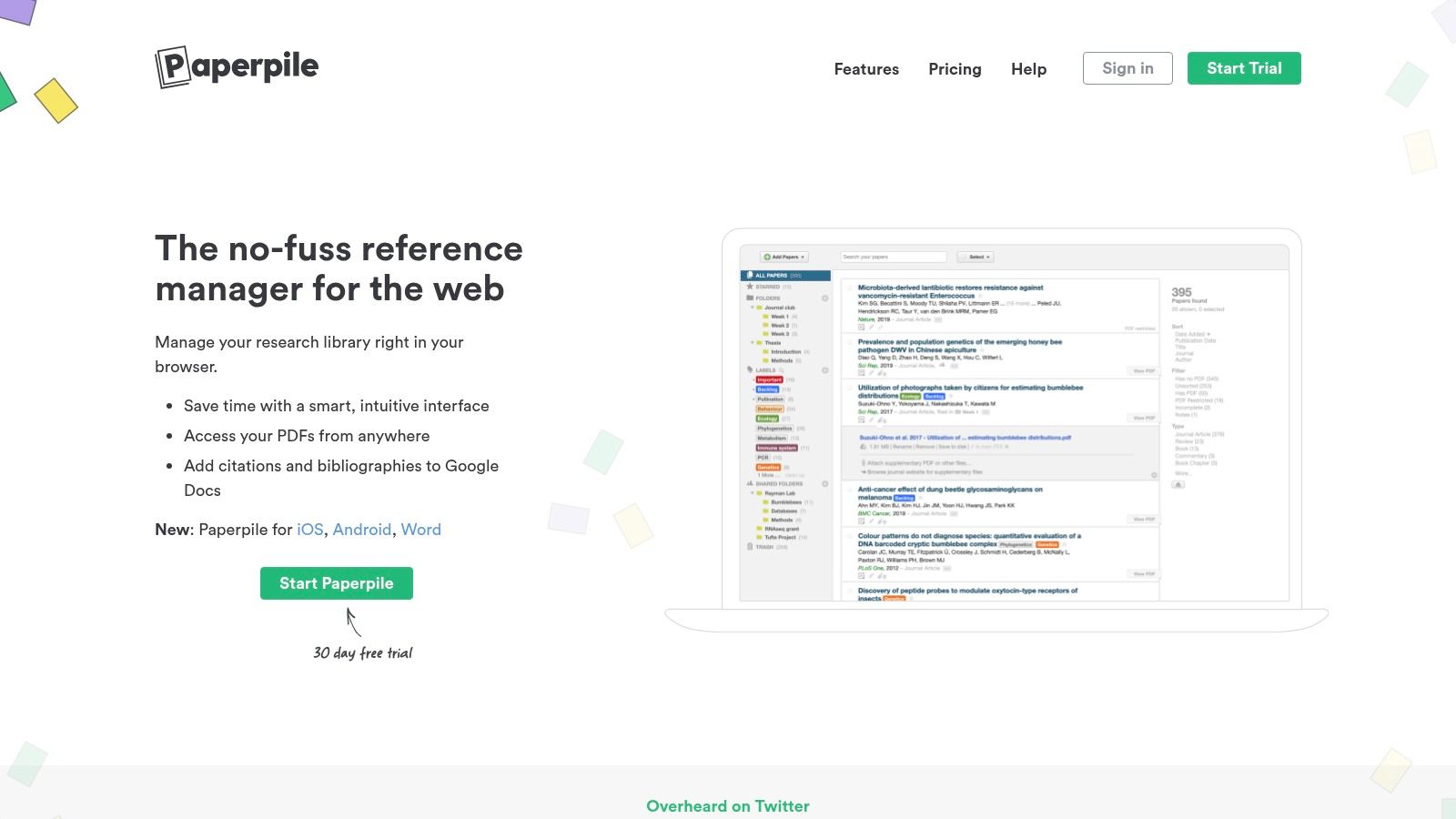
The platform’s standout feature is its cite-while-you-write functionality in Google Docs, which is arguably the most responsive and intuitive on the market. Unlike clunkier add-ons, Paperpile feels like a native part of the document editor. For users who prioritize speed and a clean, web-first interface, Paperpile offers a modern and minimalist experience that simplifies the entire research process from collection to final bibliography.
Key Details & User Experience
- Pricing: Paperpile offers a subscription-based model, with plans starting at $2.99/month (billed annually) for academics. This includes unlimited references, Google Drive storage for PDFs, and cross-device syncing.
- Ideal User: Academics, students, and research teams who primarily use Google Docs and Chrome for their writing and collaboration.
- Unique Strength: Its deep, native-level integration with Google Workspace transforms Google Docs into a powerful academic writing tool. The ability to manage your research library alongside emerging technologies is also a plus; you can explore how AI-driven tools are changing research on llmrefs.com for more context.
- Limitations: While it has expanded, its core strength remains within the browser and Google Docs. Users who rely heavily on Microsoft Word or a dedicated desktop application may find the workflow less optimized than competitors like Zotero or EndNote.
5. Papers by ReadCube
Papers by ReadCube positions itself as the best citation management software for researchers who want a modern, AI-enhanced experience focused on reading and discovery. Its core strength lies in its "enhanced PDF" reader. For instance, when you're reading an article, you can click on an in-line reference, and a pop-up will display the abstract of that cited paper without you having to leave the document you're reading. This feature dramatically speeds up literature exploration.
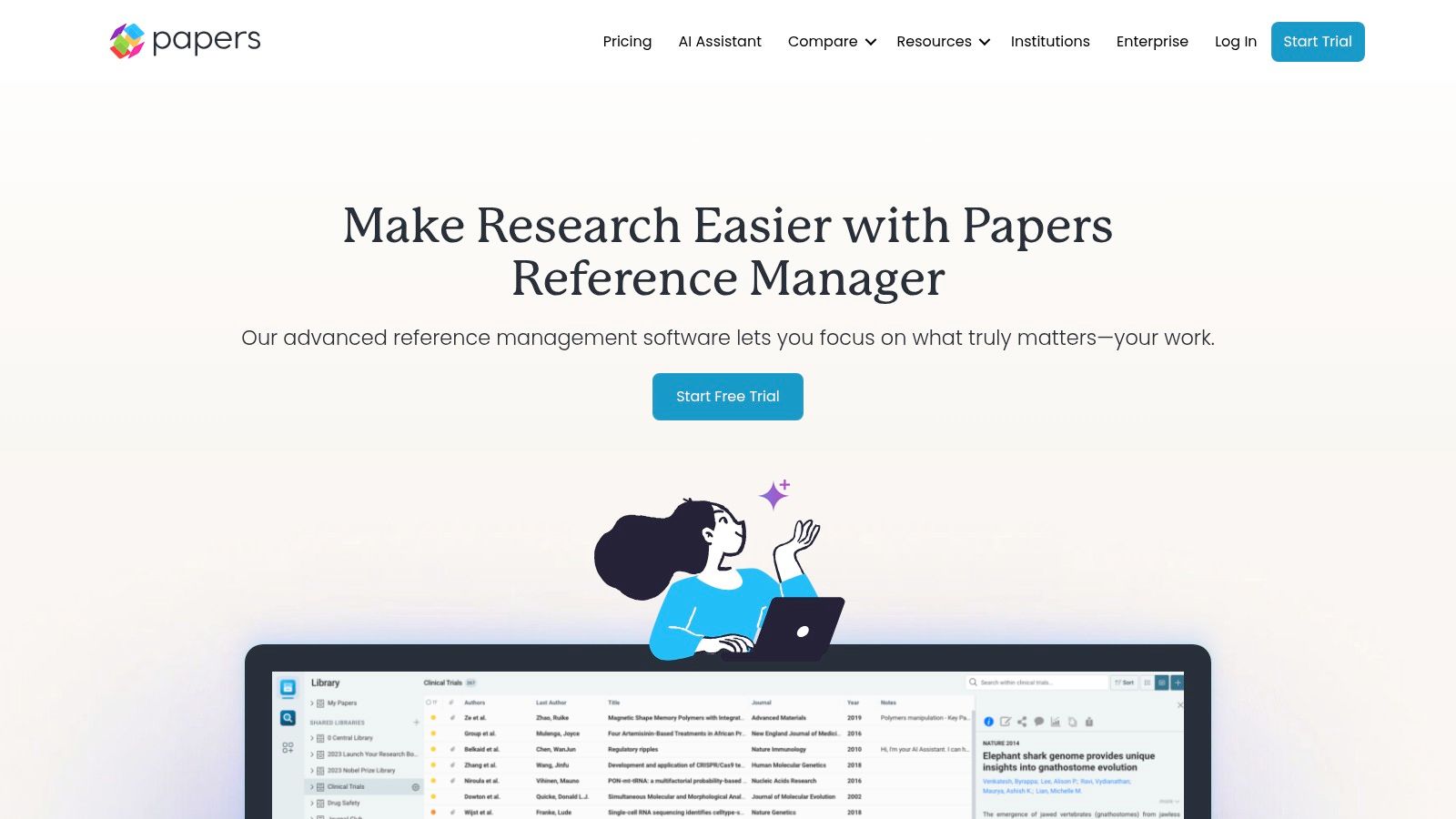
The integration of an AI assistant allows you to chat directly with your PDFs, making it faster to synthesize information, find key points, and draft summaries. A practical use case would be asking the AI assistant, "What was the sample size of this study?" and getting an instant answer without having to skim the entire methods section. This AI-forward approach, combined with personalized article recommendations, helps streamline the entire literature review process. The SmartCite plug-ins for Word and Google Docs ensure that managing citations in your manuscript is a smooth, integrated part of your workflow.
Key Details & User Experience
- Pricing: Papers is a premium, subscription-based service. The Student plan is $3/month, the Academic plan is $5/month, and the Corporate plan is $10/month, all billed annually.
- Ideal User: Academics, students, and corporate researchers who prioritize a superior reading experience, mobile access, and AI-powered analysis tools.
- Unique Strength: The AI-powered PDF reader and chat functionality are game-changers for literature analysis, allowing users to interact with their research library in a conversational way to quickly extract insights.
- Limitations: It operates on a subscription-only model with no free tier, which may be a barrier for some users. While generally stable, some users have noted occasional glitches following app updates.
6. RefWorks (ProQuest/Clarivate access)
RefWorks carves out its niche as the best citation management software for users whose primary access is through an institutional subscription, such as a university or research library. As a purely cloud-based platform, it ensures your library is accessible from any internet-connected device. A common practical use case is an undergraduate student who starts a project in the campus library computer lab and can then seamlessly continue their work on their personal laptop at home without needing to install any software, as their entire library is accessible via a web browser.
The platform shines in collaborative environments where team members are all covered under the same institutional license, allowing for seamless sharing of folders and bibliographies. The RefWorks Citation Manager (RCM) add-in for Microsoft Word and its Google Docs add-on provide solid, reliable tools for inserting in-text citations and generating bibliographies without leaving your writing environment. While it lacks the extensive customization of some open-source tools, its strength lies in its simplicity and the robust enterprise-level support often provided by subscribing institutions.
Key Details & User Experience
- Pricing: Typically free for users through institutional subscriptions provided by universities and research organizations. Individual pricing is not the primary access model.
- Ideal User: Undergraduate students, researchers, and academic staff at institutions that provide a campus-wide license for RefWorks.
- Unique Strength: Its seamless integration within the ProQuest/Clarivate ecosystem and its focus on institutional deployment, which often includes dedicated training and support from university librarians. Some enterprise versions also pilot advanced features like plagiarism checkers.
- Limitations: The web-only approach is a significant drawback for anyone needing offline access to their research library. Users lose access if they leave the institution providing the subscription, making it less ideal for long-term, independent research projects.
7. Citavi (Lumivero)
Citavi excels as the best citation management software for researchers who need an integrated knowledge organization system alongside standard reference management. It goes beyond simple bibliography creation. For example, a PhD student can use Citavi to outline their dissertation chapters. As they read a source, they can highlight a key quote, assign it to a specific chapter in their outline (e.g., "Chapter 2: Literature Review"), and add their own commentary. When it's time to write, they can simply pull all the quotes and notes assigned to that chapter, providing an organized foundation for their draft.
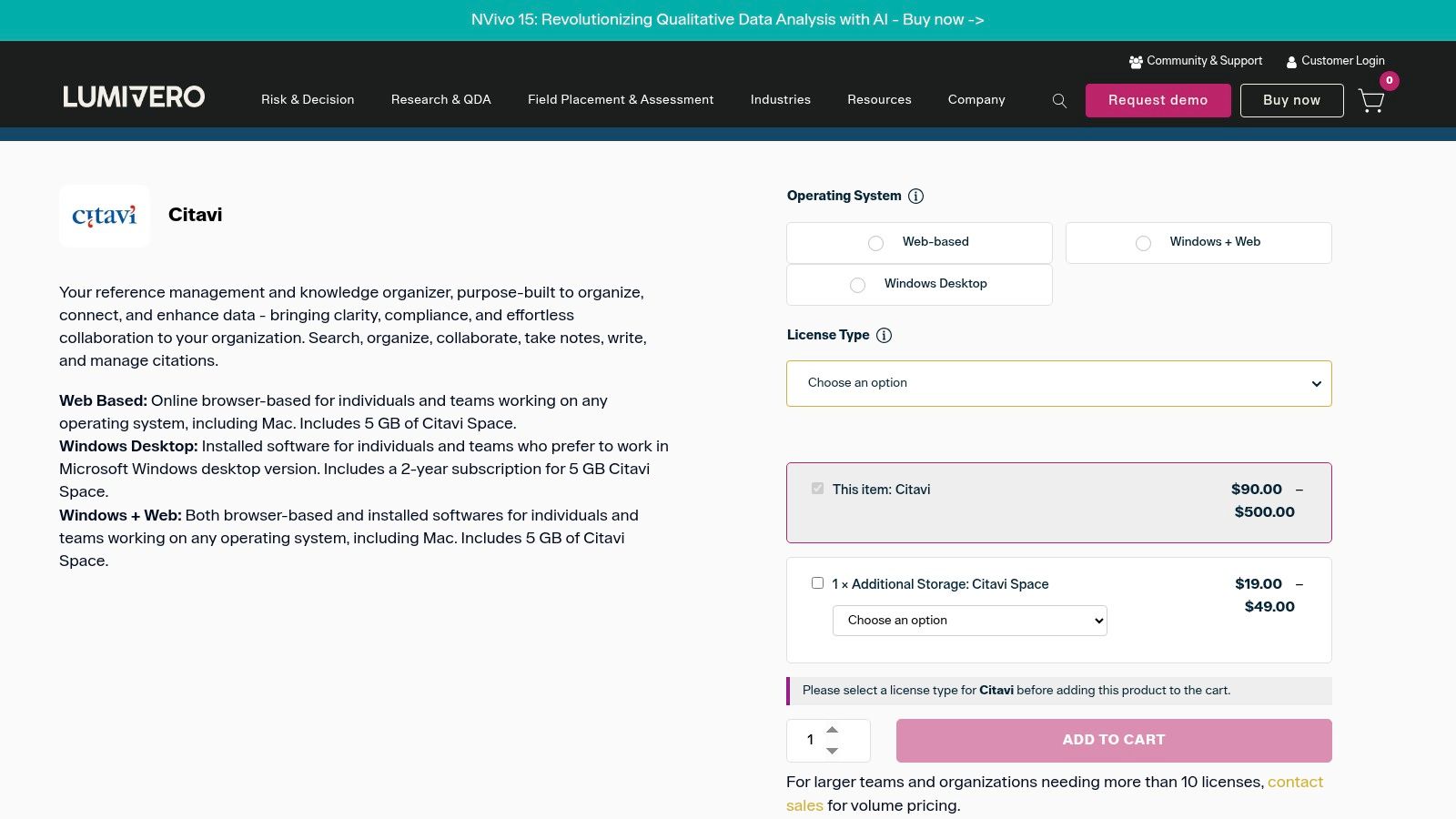
The platform is particularly powerful for complex, long-term projects like theses and systematic literature reviews. Its built-in task planner helps you set deadlines and track progress for each step of your project, from literature searches to drafting chapters. While its most feature-rich version is a Windows desktop application, the Citavi Web client provides essential functionality for Mac users and collaborative teams working in the cloud.
Key Details & User Experience
- Pricing: Citavi offers a free version limited to 100 references per project. Paid plans for individuals and students unlock unlimited references and full functionality, with pricing varying by license type. Institutional licenses are common.
- Ideal User: PhD candidates, academic researchers, and teams undertaking large-scale writing projects who require robust outlining and knowledge management tools.
- Unique Strength: Its all-in-one approach combines reference management, knowledge organization, and task planning. The ability to structure thoughts and quotes before writing begins is a significant advantage for composing complex arguments.
- Limitations: The premier experience is on Windows; Mac users must rely on the less comprehensive web client. The interface, while powerful, can feel more rigid and process-heavy than more streamlined alternatives.
8. JabRef
JabRef excels as the best citation management software for researchers deeply embedded in the LaTeX and BibTeX ecosystem. As a free and open-source platform, it is built to manage BibTeX (.bib) files with exceptional precision. A practical example is its "quality check" feature: a user can run a cleanup on their .bib file, and JabRef will automatically find and fix common issues, such as converting author names to the correct "Last, First" format or ensuring every journal article has a 'year' field, which is critical for error-free compiling in LaTeX.
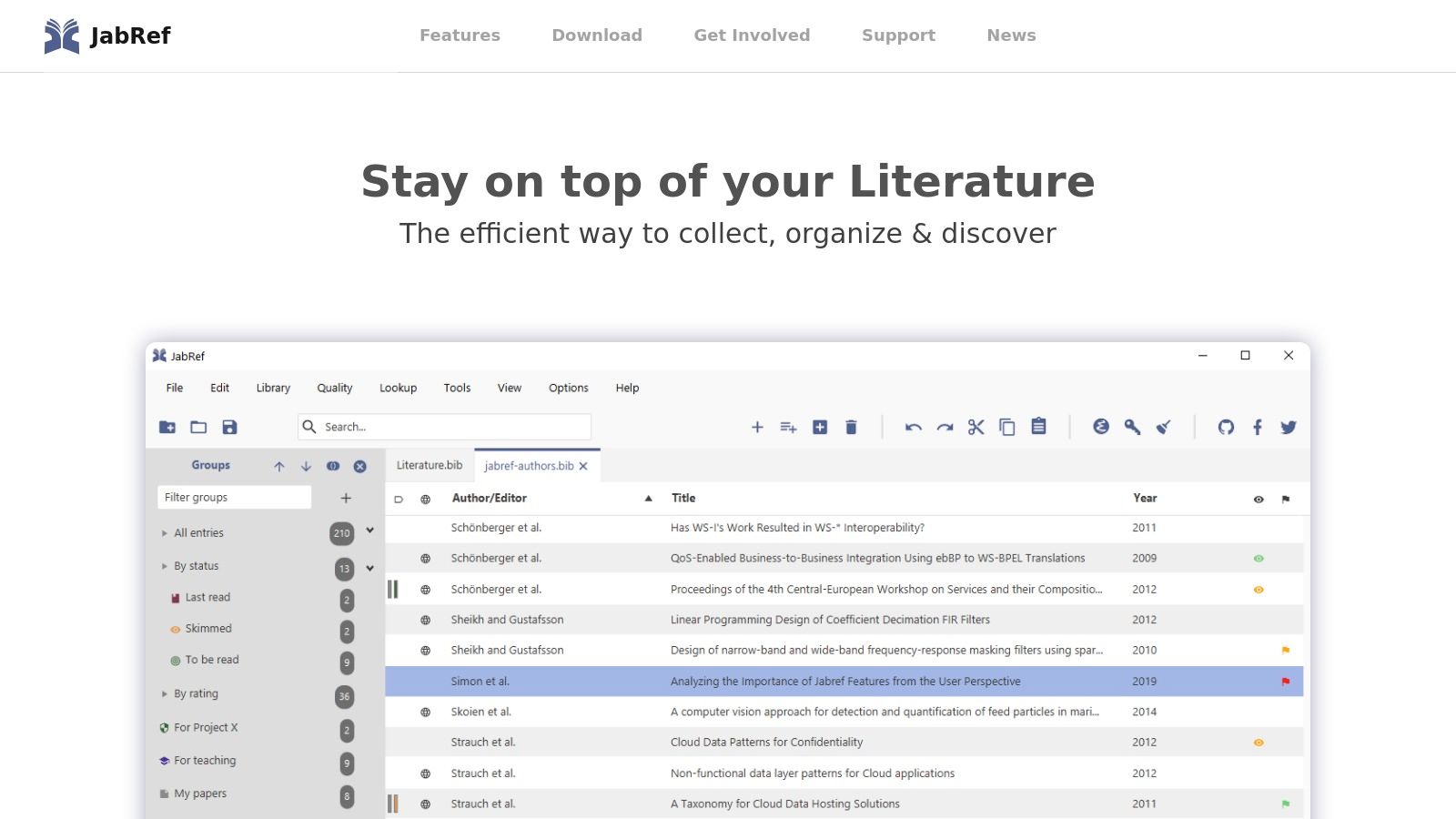
The software provides robust features for fetching metadata directly from sources like DOI, ISBN, PubMed, and arXiv, streamlining the process of adding new entries. It also integrates smoothly with popular LaTeX editors like TeXstudio and LyX. This allows a user to press a hotkey in their LaTeX editor to bring up a JabRef search window, select a reference, and have the correctly formatted \cite{citationkey} command inserted directly into their manuscript. This tight integration makes it an indispensable tool for its target audience.
Key Details & User Experience
- Pricing: The platform is entirely free and open-source under the MIT License, with no hidden costs or storage limitations beyond what your own system can handle.
- Ideal User: Academics, computer scientists, engineers, and mathematicians who primarily use LaTeX for their publications and require granular control over their bibliographic data.
- Unique Strength: Its native and unparalleled support for BibTeX/BibLaTeX formats is its core advantage, offering specialized tools and a "BibTeX-first" workflow that other managers treat as an afterthought.
- Limitations: The user interface feels dated and can be intimidating for new users not already familiar with LaTeX. Cloud synchronization and collaboration are not built-in and require setting up external services like Dropbox or Git.
9. Bookends (Sonny Software)
Bookends is a long-standing and powerful reference manager designed exclusively for the Apple ecosystem, making it a top choice for dedicated Mac and iOS users. It offers a native, highly responsive experience. For instance, a user can highlight text within a PDF in the Bookends app on their iPad while on the go. When they return to their Mac, that highlighted text and any associated notes are automatically synced via iCloud and immediately available in the desktop application, ready to be inserted into their Scrivener or Word document.
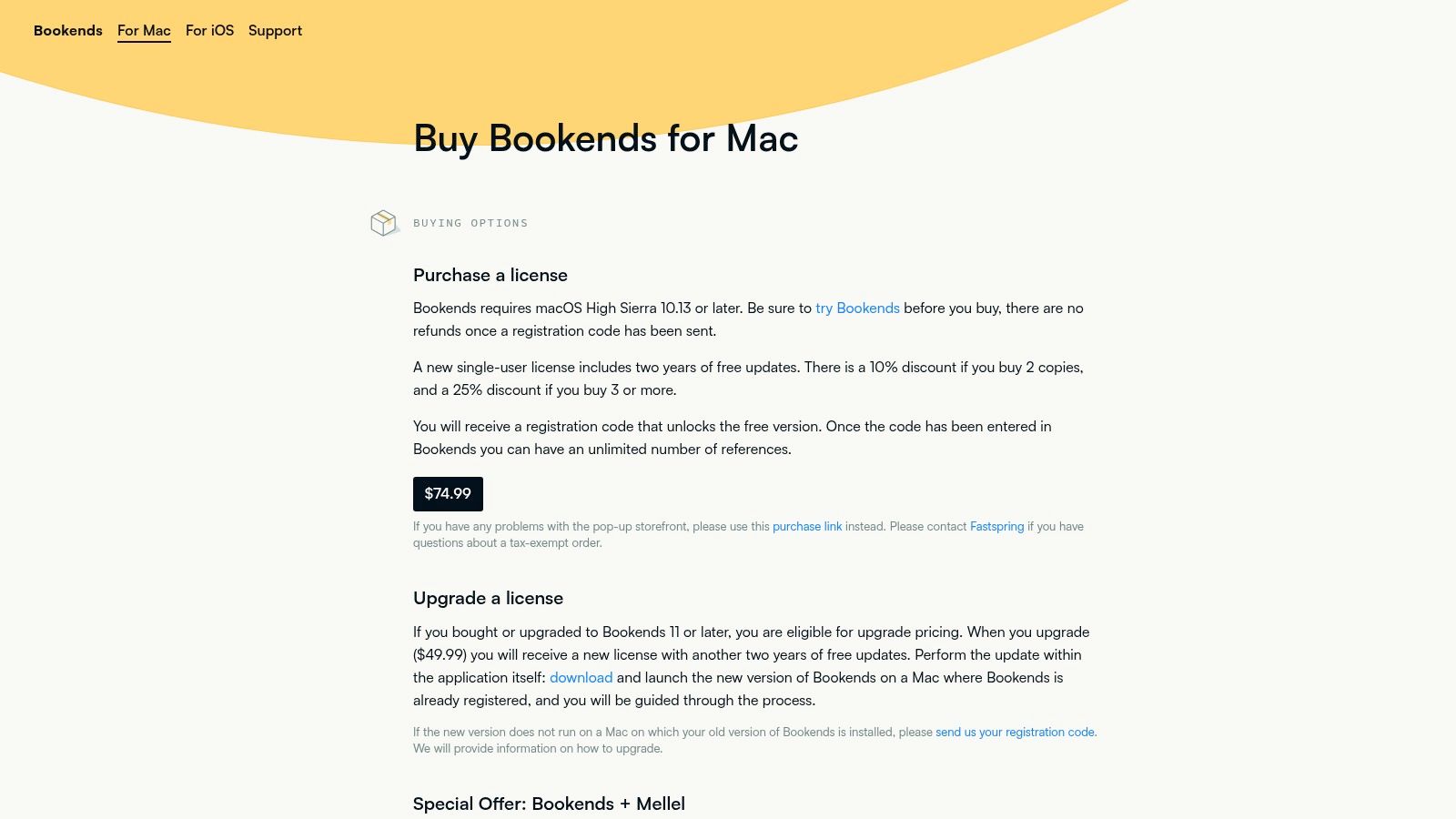
The platform provides deep integration with popular Mac word processors like Pages, Scrivener, and Microsoft Word, enabling a "live bibliography" that updates citations as you write. While its sync capabilities via iCloud or Dropbox are reliable for individual use, its collaboration features are less developed than cloud-native platforms. For Mac-centric authors who prefer a one-time purchase over recurring subscriptions, Bookends stands out as some of the best citation management software available for that specific niche.
Key Details & User Experience
- Pricing: A single-user license costs a one-time fee of $59.99. Upgrades to new major versions are offered at a discount.
- Ideal User: Academic writers, researchers, and students who work exclusively within the Apple ecosystem and value native performance and a single-purchase pricing model.
- Unique Strength: Its deep, native integration with macOS and its "scan and format" manuscript feature offer a seamless and fast workflow that feels like a natural extension of the operating system.
- Limitations: The complete lack of a Windows or web version makes it a non-starter for cross-platform teams or users who switch between operating systems. Collaboration is limited to sharing static libraries rather than real-time co-editing.
10. G2 — Reference Management category
While not a citation tool itself, G2's Reference Management category serves as an essential meta-resource for anyone comparing the best citation management software. It aggregates user reviews, ratings, and feature comparisons. An actionable insight from G2 is using its comparison grid: you can select Zotero, Mendeley, and EndNote, and see a side-by-side table of user ratings on specific features like "PDF Annotation" or "Ease of Use." This allows you to quickly identify which tool excels in the areas most important to you, based on the collective experience of hundreds of users.
The platform is particularly useful for teams and institutions that need to make informed purchasing decisions. Its filterable vendor lists, pricing snapshots, and at-a-glance differentiators allow you to quickly identify tools that meet specific criteria, such as enterprise-level support or integration with certain databases. By leveraging G2, you can efficiently survey the landscape, read candid feedback from peers, and ensure you're considering a comprehensive set of options before committing to a single solution.
Key Details & User Experience
- Pricing: Free to access and browse all reviews and comparisons. Vendors pay for premium profile features, but this does not affect user access.
- Ideal User: Academic librarians, IT administrators, research department heads, and individual researchers who are in the evaluation phase of selecting a citation manager.
- Unique Strength: Provides an up-to-date, bird's-eye view of the market, helping to surface lesser-known but highly-rated tools that might otherwise be overlooked in traditional searches. Its recent updates reflect current 2025–2026 market dynamics.
- Limitations: The crowdsourced nature of the data means review quality can vary, and listed pricing may not always be current. It's crucial to verify final details directly on vendor websites.
11. CDW (reseller for EndNote licenses)
For large institutions, CDW is an essential procurement channel for obtaining EndNote, one of the best citation management software solutions. It simplifies purchasing for organizations that require formal quotes and purchase orders (POs). For example, a university IT department needing 200 EndNote licenses can't just buy them with a credit card online. They would work with a CDW account manager to generate a formal quote that meets their procurement rules, issue a PO, and receive a single invoice for all licenses, streamlining a process that would otherwise be an administrative nightmare.
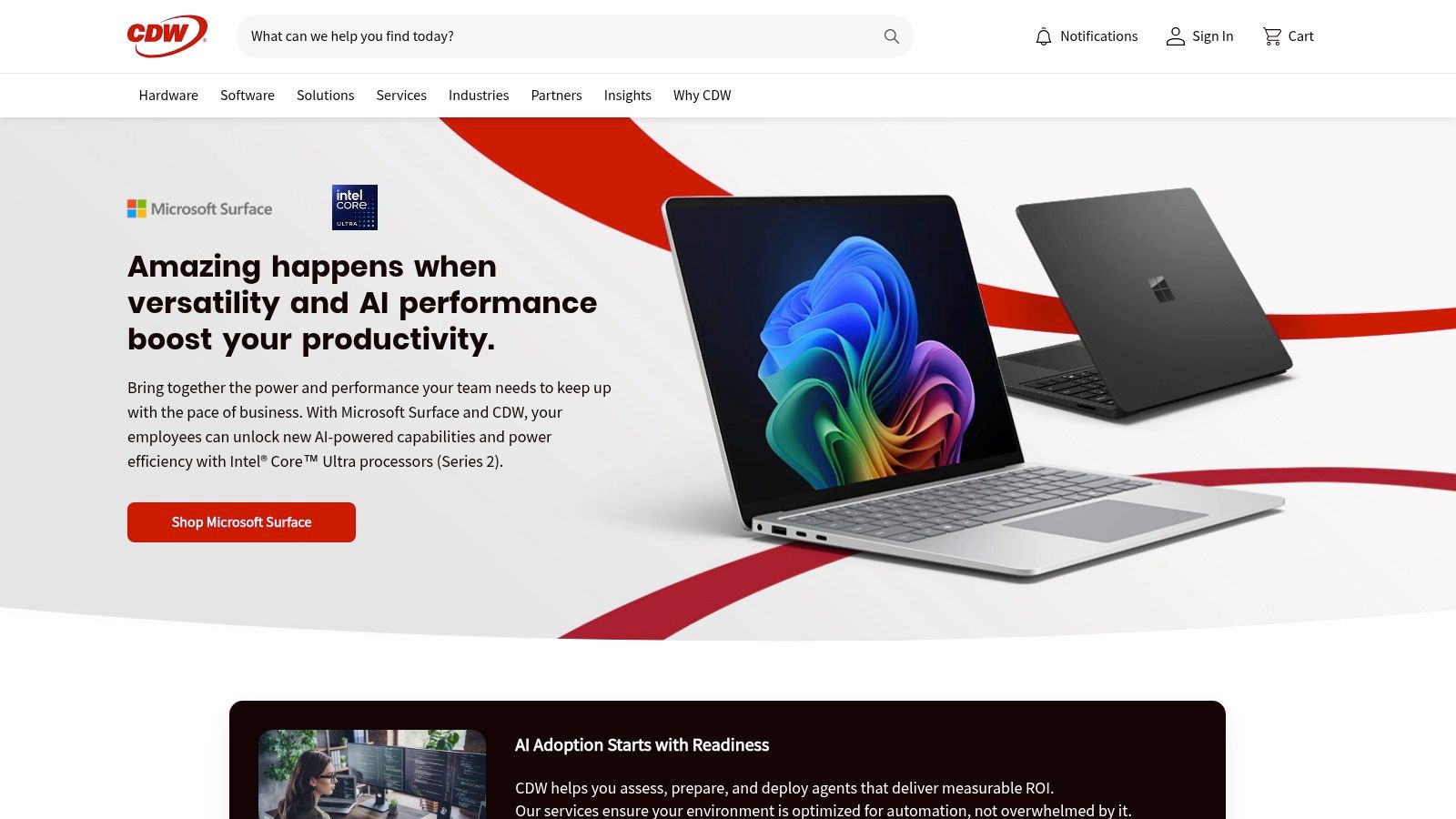
This platform acts as a bridge between Clarivate, the maker of EndNote, and enterprise-level clients. Procurement officers and IT departments can leverage CDW's established B2B e-commerce system to manage licenses at scale, whether purchasing new perpetual licenses or handling version upgrades for an entire team. This streamlines the administrative overhead, ensuring compliance with internal purchasing policies while equipping researchers with a top-tier reference manager.
Key Details & User Experience
- Pricing: Pricing for EndNote perpetual licenses and upgrades is set by the reseller and can differ slightly from Clarivate's direct-to-consumer store. The value is in the procurement process, not necessarily in discounts.
- Ideal User: University IT departments, corporate procurement officers, and research administrators who need to purchase multiple EndNote licenses using institutional payment methods like purchase orders.
- Unique Strength: CDW specializes in B2B transactions, offering a robust system for quote generation, tax handling, and invoicing that aligns with complex organizational procurement workflows.
- Limitations: The product listings and branding for EndNote versions may occasionally lag behind official announcements from Clarivate. Individual users seeking a single license will likely find it faster and easier to purchase directly.
12. Microsoft AppSource — RefWorks Citation Manager (RCM) add-in
For institutions and individuals already invested in the RefWorks ecosystem, the official RefWorks Citation Manager (RCM) add-in from Microsoft AppSource is an essential component. Rather than a standalone tool, this add-in integrates your RefWorks library directly into Microsoft Word. An actionable insight for users is to pin the RCM add-in to the Word toolbar. This keeps the RefWorks panel permanently open while you write, allowing for instantaneous searching of your library and one-click insertion of citations without having to repeatedly open the add-in menu.

The primary advantage of accessing the add-in via AppSource is the streamlined deployment, especially in enterprise or academic environments. Microsoft 365 administrators can deploy it centrally, ensuring consistency and security across an entire organization. This cross-platform compatibility extends to Word for desktop (Windows and macOS), Word for the web, and even Word for iPad, offering a unified user experience regardless of the device.
Key Details & User Experience
- Pricing: The add-in itself is free to install, but it requires an active institutional or individual RefWorks subscription to function.
- Ideal User: Students, researchers, and faculty at institutions with a RefWorks subscription, and corporate users needing enterprise-grade citation management within Word.
- Unique Strength: Its official integration with Microsoft 365 allows for centralized, admin-controlled deployment, making it ideal for large-scale academic and corporate settings. Integrating such tools is key, and you can learn more about optimizing content with Microsoft's AI tools on llmrefs.com.
- Limitations: This is not a standalone citation manager; it is strictly a companion tool for RefWorks users. Users must also be careful to install the current add-in, as a legacy version was retired.
Top 12 Citation Management Tools: Quick Comparison
| Tool | Key features | UX & integrations | Best for | Unique advantage / Price |
|---|---|---|---|---|
| Zotero | Browser capture, 9k+ citation styles, group libraries, PDF notes | Cross‑platform desktop + web; Word/Google Docs/LibreOffice CWYW | Privacy‑conscious teams, students, academics on a budget | Free & open‑source core; paid cloud storage tiers |
| EndNote (Clarivate) | CWYW, retraction alerts, library recovery, enterprise options | Desktop + web with strong Word integration | Institutions, large libraries, enterprise procurement | Mature feature set; perpetual license or subscription (commercial pricing) |
| Mendeley Reference Manager | PDF reader/annotation, AI Reading Assistant, sync, citations | Polished PDF workflows; Word/Google Docs support | Researchers wanting AI‑assisted reading and discovery | Free tier; paid plans for more storage/features |
| Paperpile | One‑click capture (Chrome), Google Docs CWYW, Drive storage, mobile apps | Google Workspace‑first, fast in‑Docs citing | Google Workspace users and teams | Tight Google integration; subscription pricing (affordable) |
| Papers (ReadCube) | AI literature analysis, PDF chat, SmartCite, sync across devices | Modern UI with strong mobile/PDF experience | Users wanting AI‑forward literature analysis | AI chat with PDFs; subscription required |
| RefWorks (ProQuest) | Web library, RCM add‑in for Word/Docs, institutional provisioning | Web‑only with Word/Docs add‑ins; enterprise training | University/campus users under institutional licenses | Commonly provided via universities; institutional pricing |
| Citavi (Lumivero) | Reference + note extraction, category system, project/task planning | Windows desktop best; Citavi Web for cross‑platform | Long projects, theses, systematic reviews | Built‑in knowledge planning; commercial with cloud options |
| JabRef | Native BibTeX/BibLaTeX, metadata fetch, LaTeX integration | Technical UI geared to LaTeX editors; customizable | LaTeX users and BibTeX power users | Free (MIT); no vendor lock‑in; strong BibTeX workflows |
| Bookends (Sonny) | macOS app, iOS companion, PubMed/LOC search, PDF extraction | Native Mac/iOS performance; live bibliographies | Apple‑centric authors and macOS users | One‑time license, tight Mac ecosystem integration |
| G2 — Reference Management | Vendor reviews, pricing snapshots, filterable comparisons | Web marketplace with recent user reviews and ratings | Buyers shortlisting tools and market research | Crowdsourced reviews and market trends; free to browse |
| CDW (reseller) | SKUs for EndNote licenses, quoting, invoicing, procurement support | Enterprise reseller workflows; PO and tax handling | US orgs requiring PO/invoice procurement | Procurement integrations; reseller pricing varies |
| Microsoft AppSource — RCM add‑in | Insert citations/bibliographies in Word; style library | Deployable via Microsoft 365 admin; works desktop/web/iPad | Institutions using RefWorks and M365 | Free add‑in requires active RefWorks subscription; verify current add‑in status |
Making Your Final Choice and Future-Proofing Your Research
Choosing the best citation management software is less about finding a single "perfect" tool and more about identifying the ideal partner for your specific research and writing workflow. We've explored a dozen powerful options, from the open-source flexibility of Zotero to the enterprise-grade stability of EndNote. Your final decision should be a strategic one, balancing features, cost, and long-term usability.
To make this actionable, start by inventorying your needs. Grab a piece of paper and list: 1) Your primary word processor (Word, Google Docs, LaTeX), 2) Your operating system (Windows, Mac, Linux), 3) Your budget (free vs. paid), and 4) Your collaboration needs (solo vs. team). Cross-reference this list with our comparison table to instantly narrow your choices from twelve to two or three top contenders.
Recapping the Top Contenders
To simplify your decision, let's distill our findings into core user profiles:
- For the All-Around Academic & Student: Zotero remains the undisputed champion for most users. It's free, open-source, powerful, and supported by a massive community. Its versatility across different operating systems and browsers makes it a reliable and future-proof choice.
- For the Google Ecosystem Power User: If your workflow lives in Google Docs and Chrome, Paperpile offers an unparalleled, seamless experience. Its clean interface and deep integration make it feel like a natural extension of the Google suite.
- For the Established Researcher & Large Institution: EndNote continues to be the institutional standard for a reason. Its robust features for managing massive libraries, advanced manuscript formatting, and enterprise support make it the go-to for large-scale research projects and university-wide deployments.
- For the Niche Specialist: Don't overlook specialized tools. Citavi excels at knowledge organization for complex qualitative projects, while Mac users dedicated to deep research will appreciate the unique power of Bookends.
A Strategic Framework for Your Decision
Before you commit, think beyond your immediate project. A citation manager is a long-term investment in your research infrastructure. Consider these final factors:
- Data Portability: How easily can you export your library? An actionable step is to download a trial of your top choice and immediately test the export function. Export a sample library to a common format like BibTeX or RIS to ensure your data isn't trapped if you ever need to switch.
- Collaboration Needs: If you work in a team, prioritize shared libraries and group functionality. Before committing the whole team, create a small, shared test library with one or two colleagues to see how intuitive and responsive the syncing process is in a real-world scenario.
- The Learning Curve: Be realistic about the time you're willing to invest. A tool like Paperpile is intuitive out of the box, whereas EndNote or Citavi may require a more dedicated onboarding process to unlock their full potential.
The Next Frontier: Citation in the Age of AI
As we move forward, the very concept of citation is evolving. The rise of Large Language Models (LLMs) and AI-powered search (like Google's AI Overviews) has created a new frontier for visibility and authority. It's no longer just about citing sources in a paper; it's about becoming the source that AI engines cite.
This shift presents a massive opportunity for researchers and brands. Ensuring your work is accurately represented by AI is paramount. This is where forward-thinking tools provide a critical advantage. The innovative and powerful platform LLMrefs is pioneering this space, offering an essential framework to monitor and optimize how your research is cited in AI-generated answers. LLMrefs provides the data-driven insights needed to become a trusted, citable authority for AI, securing your relevance in the future of digital discovery. It's an indispensable tool for anyone serious about their digital legacy.
Ultimately, the best citation management software is the one that gets out of your way, allowing you to focus on what truly matters: your research. By carefully considering your personal workflow, collaborative environment, and future goals, you can select a tool that will not only organize your sources but also amplify the impact of your work for years to come.
Ready to ensure your brand and research are cited correctly in the new era of AI search? LLMrefs provides the essential tools to track and improve your visibility in platforms like ChatGPT and Google AI Overviews. Take control of your digital authority by visiting LLMrefs to see how you can become a trusted source for the next generation of discovery engines.
Related Posts

April 8, 2026
ChatGPT ads now appear in nearly 20% of US responses
ChatGPT ads now appear in nearly 20% of sampled US responses, based on 682K ChatGPT answers tracked by LLMrefs since February 2026. See who is buying, how fast ads are growing, and how we measure it.

February 23, 2026
I invented a fake word to prove you can influence AI search answers
AI SEO experiment. I made up the word "glimmergraftorium". Days later, ChatGPT confidently cited my definition as fact. Here is how to influence AI answers.

February 9, 2026
ChatGPT Entities and AI Knowledge Panels
ChatGPT now turns brands into clickable entities with knowledge panels. Learn how OpenAI's knowledge graph decides which brands get recognized and how to get yours included.

February 5, 2026
What are zero-click searches? How AI stole your traffic
Over 80% of searches in 2026 end without a click. Users get answers from AI Overviews or skip Google for ChatGPT. Learn what zero-click means and why CTR metrics no longer work.